Changelog

New updates and improvements to BrightMind. Follow along as we build your AI voice companion for productivity.

New

Automation improvements

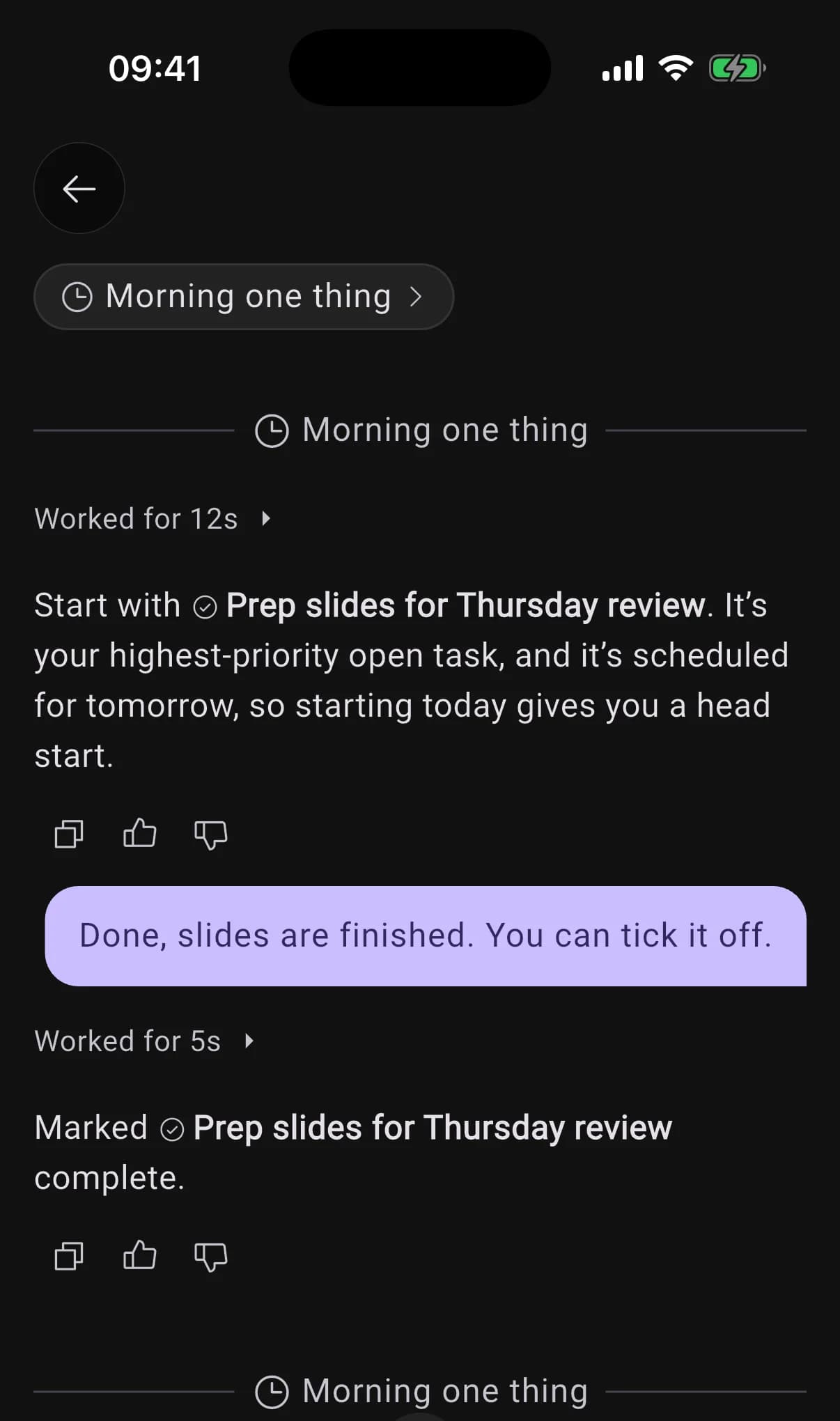
You now choose where an automation posts: in the conversation you set it up in, in one conversation of its own that every run continues, or in a new conversation each time. Just say which.

When it continues a conversation, each run reads what came before and you can reply right there. By default, a one-off answers in the chat you asked in, and a repeating one gets its own conversation, marked with a clock.
How automations work

The Morning one thing conversation: a run's pick, the user replying that it is done, and the next run below
AI
  • "Every Friday, recap my week" now sets up an automation that does the work, instead of a repeating task that only reminds you to do it yourself.
UI
  • The overdue sheet on Home works like the Tasks tab: tap a task to open it in the same sheet, and a tick stays undoable until you close it.
Calls
  • Typing during a call sends the words to the call, and they never count against your messages.
  • The keyboard clicking that played on a call while BrightMind worked is gone.
Calls
  • Starting a call right after another one no longer opens the previous call's conversation.
  • A call that ended because your voice minutes ran out now tells you so, and when they come back, instead of just hanging up.
New

All your lists, in one tab

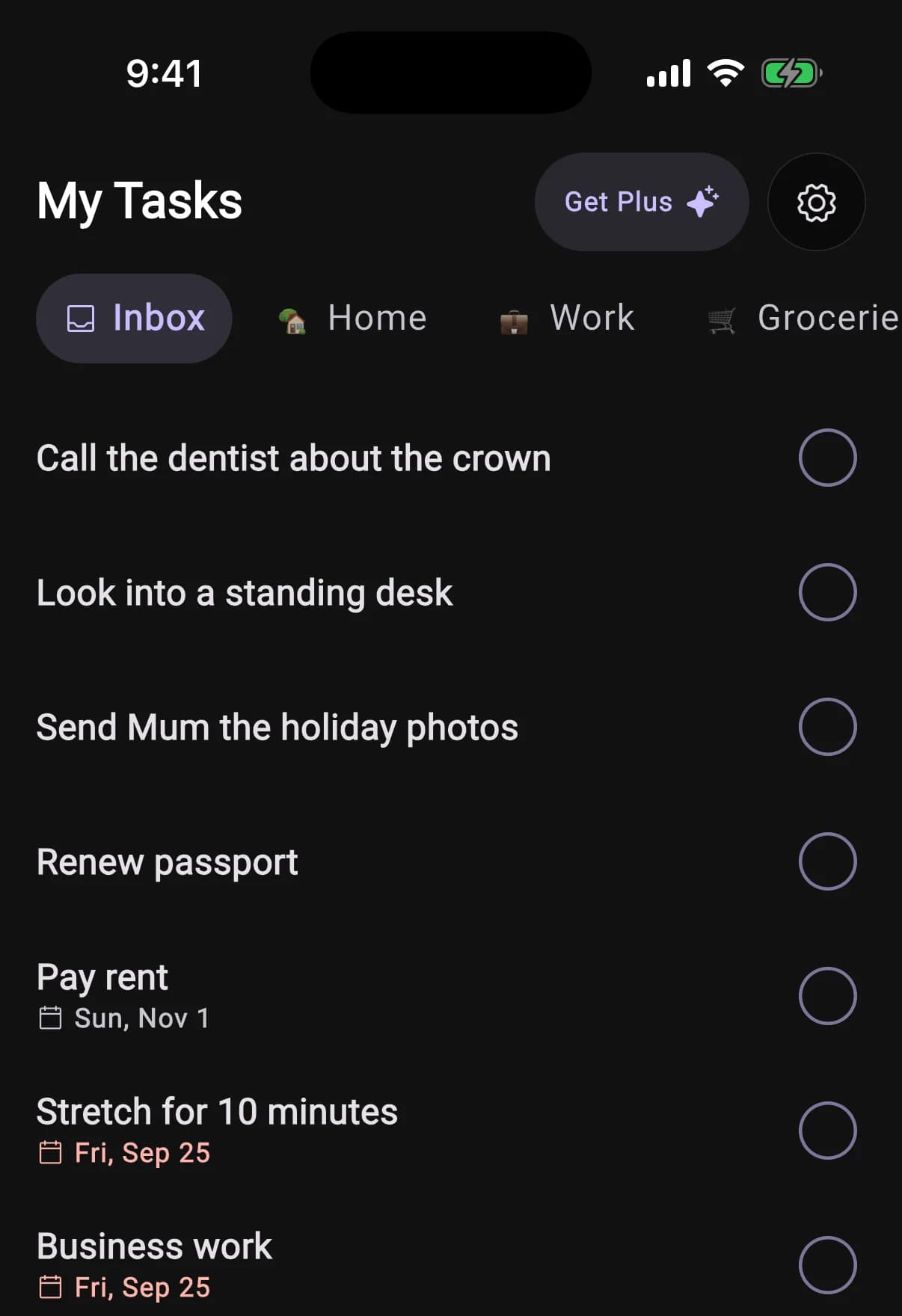
Home shows your day. The new Tasks tab shows everything else: every list you keep, Inbox first, including the tasks with no date that used to have nowhere to live.

Swipe sideways to move between lists. A list named with an emoji wears it as its icon. It works the same with BrightMind's own tasks, TickTick, Todoist and Google Tasks.

How tasks work

My Tasks open on the Inbox, with Home, Work and Groceries lists in the pill strip above undated tasks
New

Subtasks, and a task sheet that shows it all

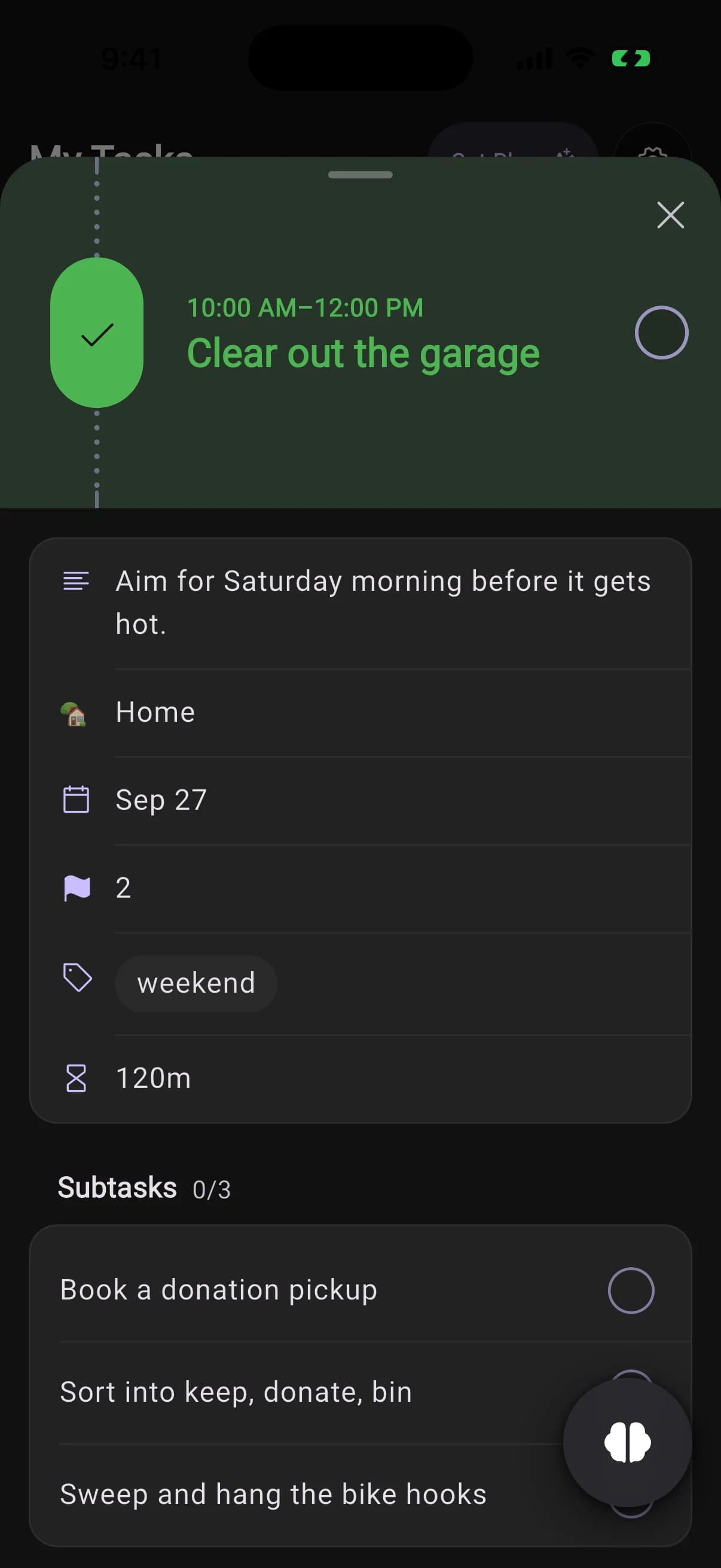
Tap a task to see its note, list, date, repeat, priority, labels and reminders in one place.

Subtasks sit in their own card with a count. Open one and it slides in as the next page of the same sheet, where you can tick it off.

The task sheet for Clear out the garage, with its note, list, date, priority, label and three subtasks
UI
  • The bottom bar is now three tabs, Tasks, Home and Conversations, plus a BrightMind button that opens pointed at whatever you are looking at, so "add milk to this" lands in the list on screen.
  • Onboarding is shorter: one question per screen, and a tap is the answer. It shows you what BrightMind does before it asks you for anything.
  • A new Show automations setting hides BrightMind's calls and messages from your Home timeline.
  • An empty list in Tasks, or an empty Conversations tab, now has a button that starts a message right there.
  • On Android, adding a photo opens the system photo picker, so BrightMind no longer asks for access to your gallery.
AI
  • Chat and calls run on a newer model.
Calls
  • The app no longer asks for notification permission the moment it opens. It asks when you set up your daily check-in.
Calls
  • Tasks said out loud on a call could fail to save. A long brain dump on a call now lands in full.
  • A declined or missed scheduled call no longer stays pinned to your day for good.
  • A call could look connected while your microphone never reached BrightMind. The app now notices and tells you, instead of leaving you talking to silence.
  • A call started with no voice minutes left now tells you so in your language and hangs up, instead of connecting to silence.
AI
  • An automation's report could arrive cut off mid-word. The full report now waits in the conversation, and the notification carries a short line pointing to it.
  • Opening an image in a conversation could break every reply after it in that thread. Fixed, including threads it had already broken.
  • Asking BrightMind to delete or change a lot of tasks at once no longer stops partway through.
General
  • Ticking off a repeating task late no longer moves it back onto an earlier day and marks it overdue.
  • Task reminders show the clock time instead of "in 25 min", which was already wrong by the time you read it in Notification Center.
Integrations
  • Adding a repeating event to Google Calendar no longer times out and gets reported as a mistake in what you asked.
UI
  • Home shows your day straight after onboarding, instead of staying empty until you pulled to refresh.
  • On Android with button navigation, the button at the bottom of a sheet no longer hides under the navigation bar.
New

Ask once, and it keeps happening

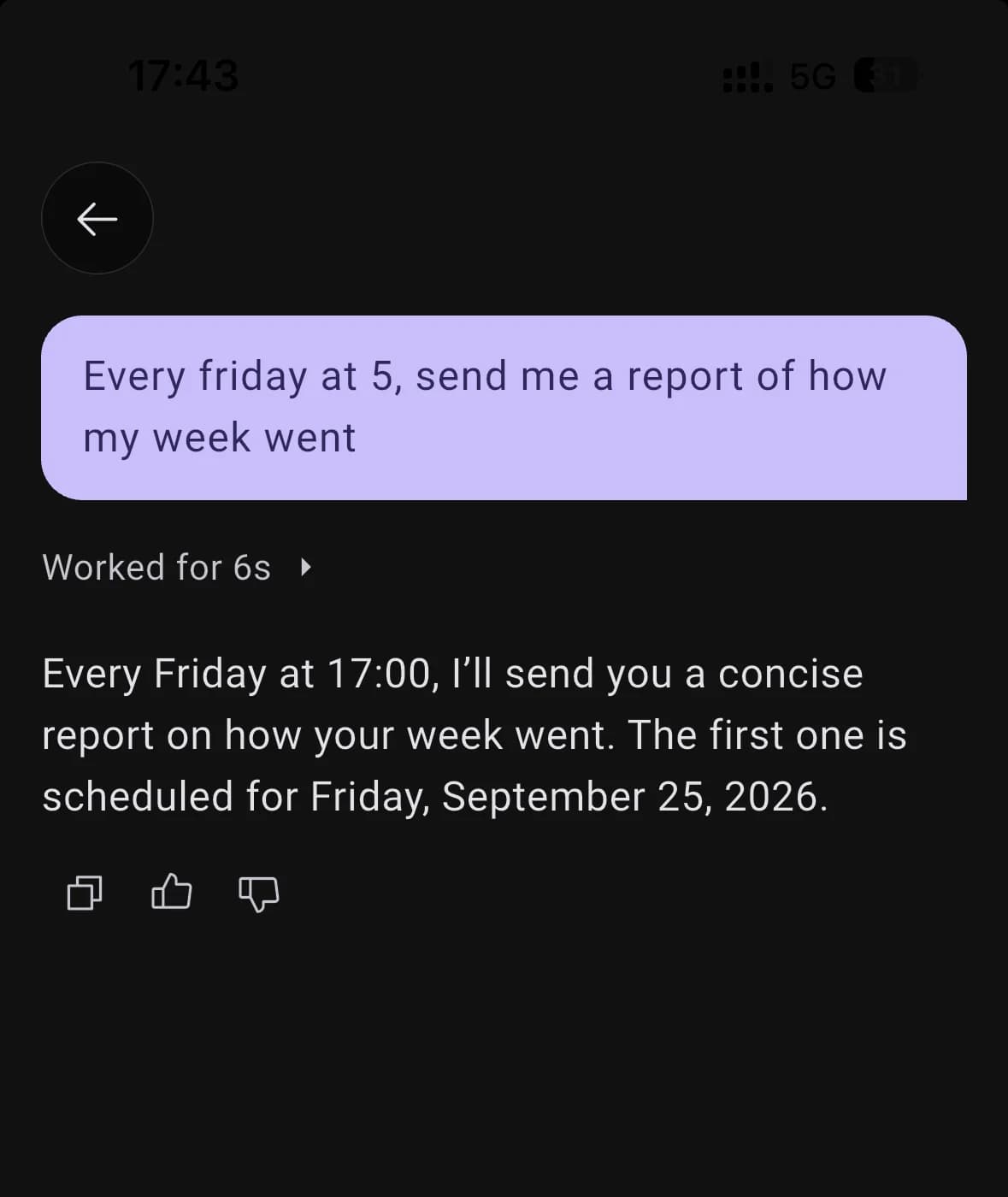
Say "every Friday send me a report of my week" or "check in with me every morning at eight", and it sets itself up. No builder to fill in: you change it the same way you made it.

A run is a real turn, so it can go and do the work rather than send a canned line, and it stays quiet if there is nothing worth saying.

How automations work

Asking for a weekly report in chat, and BrightMind confirming the first one for Friday
New

A new way in

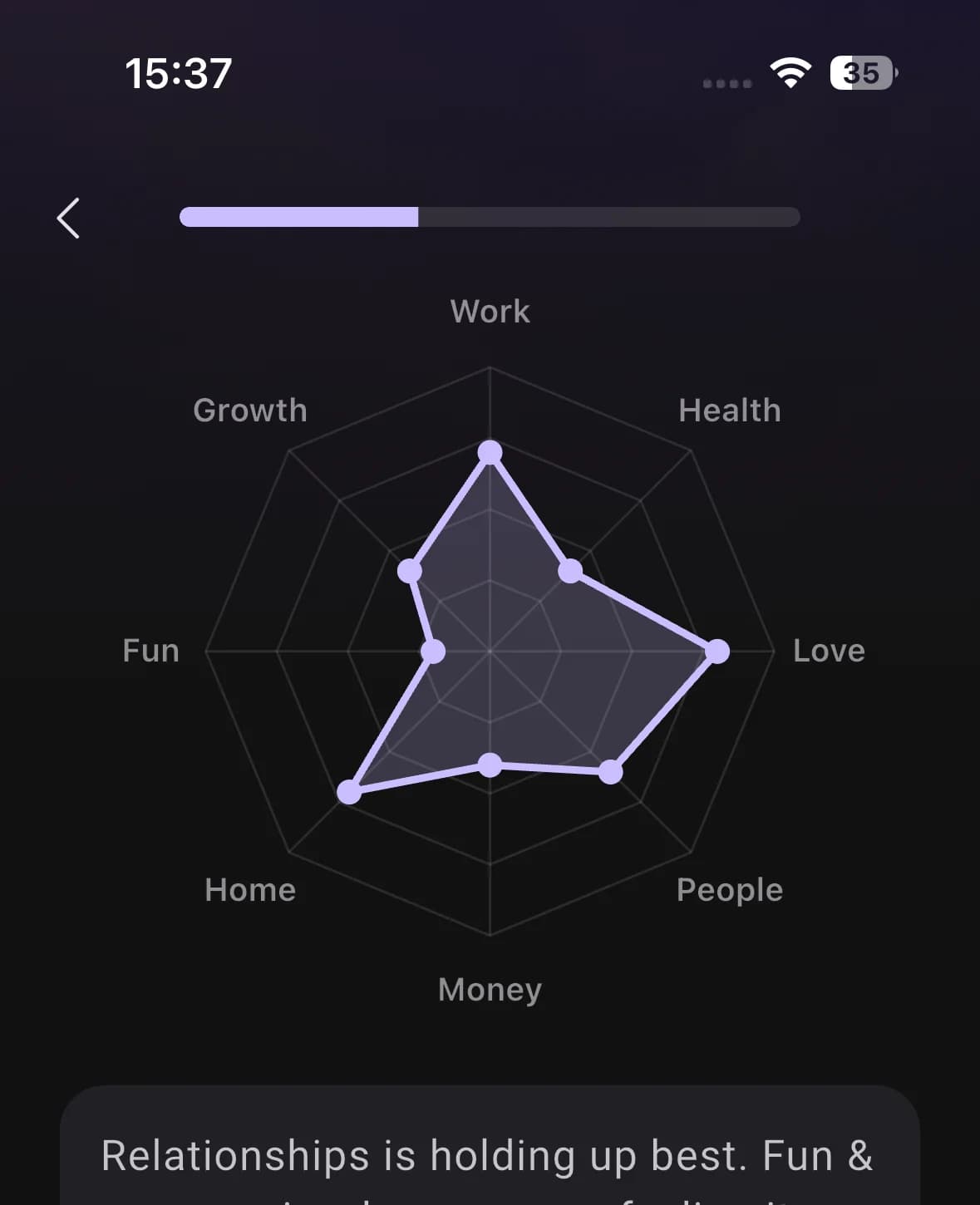
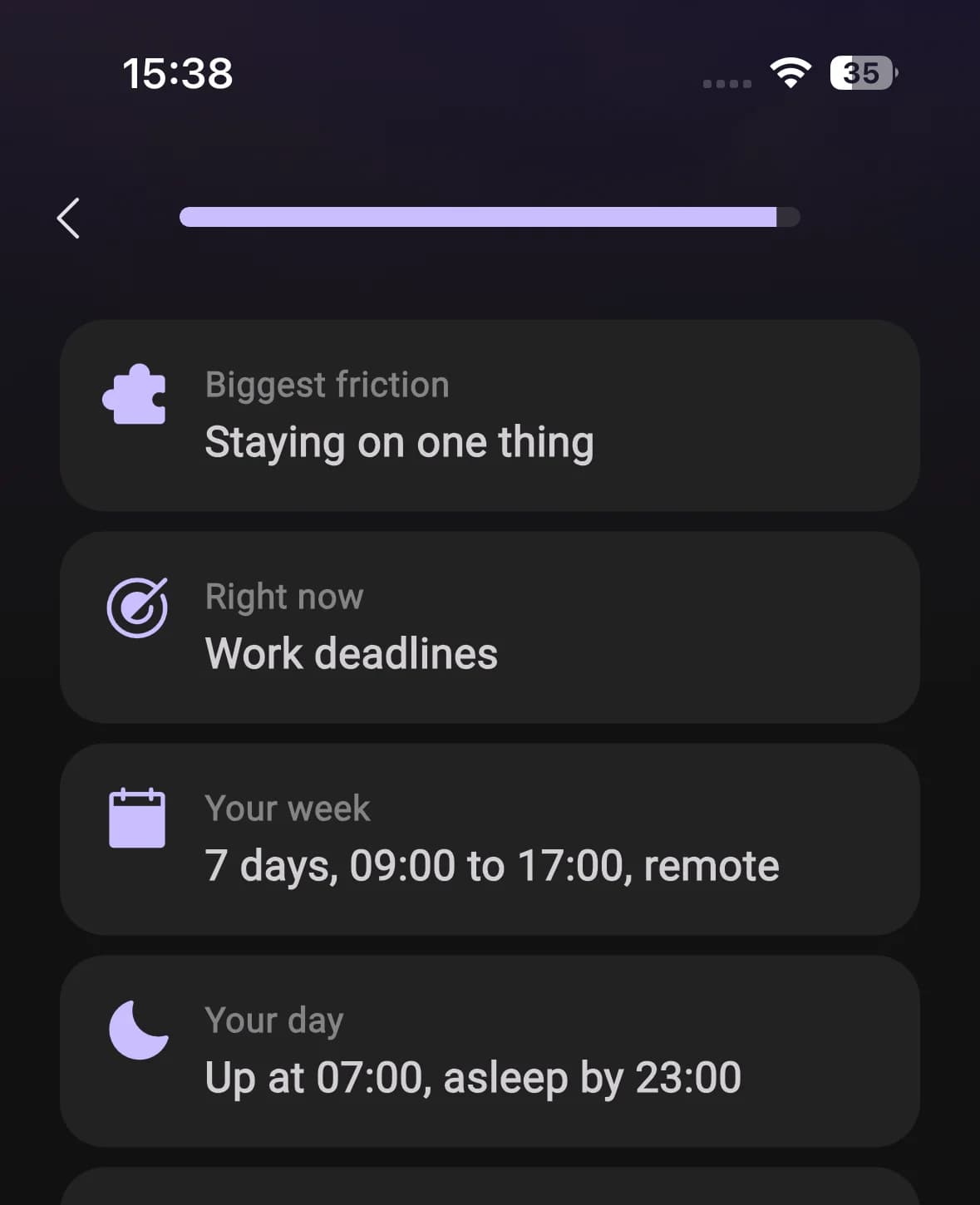
Short, clear screens instead of a chat that interviews you, ending with your daily check-in set up at a time you pick. Your answers save as you go.

Go through it again any time from Settings, Account, Show onboarding again.

The life map: eight areas plotted on a radar chart
The closing summary listing friction, focus, week and day
Improved

Voice lives in the conversation now

Calls start in place, and what you said out loud lands in the thread as ordinary messages you can scroll back through.

New voice engine underneath, twelve voices, and no greeting on a call you started yourself.

Calls
  • Your daily check-in is set up during onboarding and is a normal automation afterwards, so you can move or pause it in conversation.
  • What you say on a call arrives as one clean bubble instead of landing in pieces as you speak.
  • The voice picker now offers the twelve voices the new engine actually supports, instead of listing ones that never applied.
AI
  • BrightMind can change any of your settings from a chat or a call. Ask it to turn something on and it does it, rather than telling you where to tap.
  • Images you send are read at full detail instead of being downscaled first, so screenshots and handwriting are legible to BrightMind.
  • BrightMind carries more of the conversation you are currently in, so it loses the thread less often in a long back-and-forth.
UI
  • Android 12 and later open on a proper BrightMind mark instead of a blank screen, and static branding is consistent across the app.
Calls
  • Calls on Android could come through silent. Fixed.
UI
  • Pinned conversations and everything past your hundredth thread load again instead of going missing from the list.
  • The connecting spinner no longer jumps, and the voice orb lands cleanly when a call opens.
General
  • Your timezone is reported as a real zone such as Europe/Amsterdam rather than an offset, so scheduled things land at the right local time across daylight-saving changes.
AI
  • BrightMind stopped sending you to Settings screens that do not exist, and calendar events go to the calendar you picked.
  • A brain dump is written down in the turn that reads it back to you, so nothing is lost between the two.
Integrations
  • Turning a calendar account off, or one needing to be reconnected, no longer produced error noise.
New

A summary of you

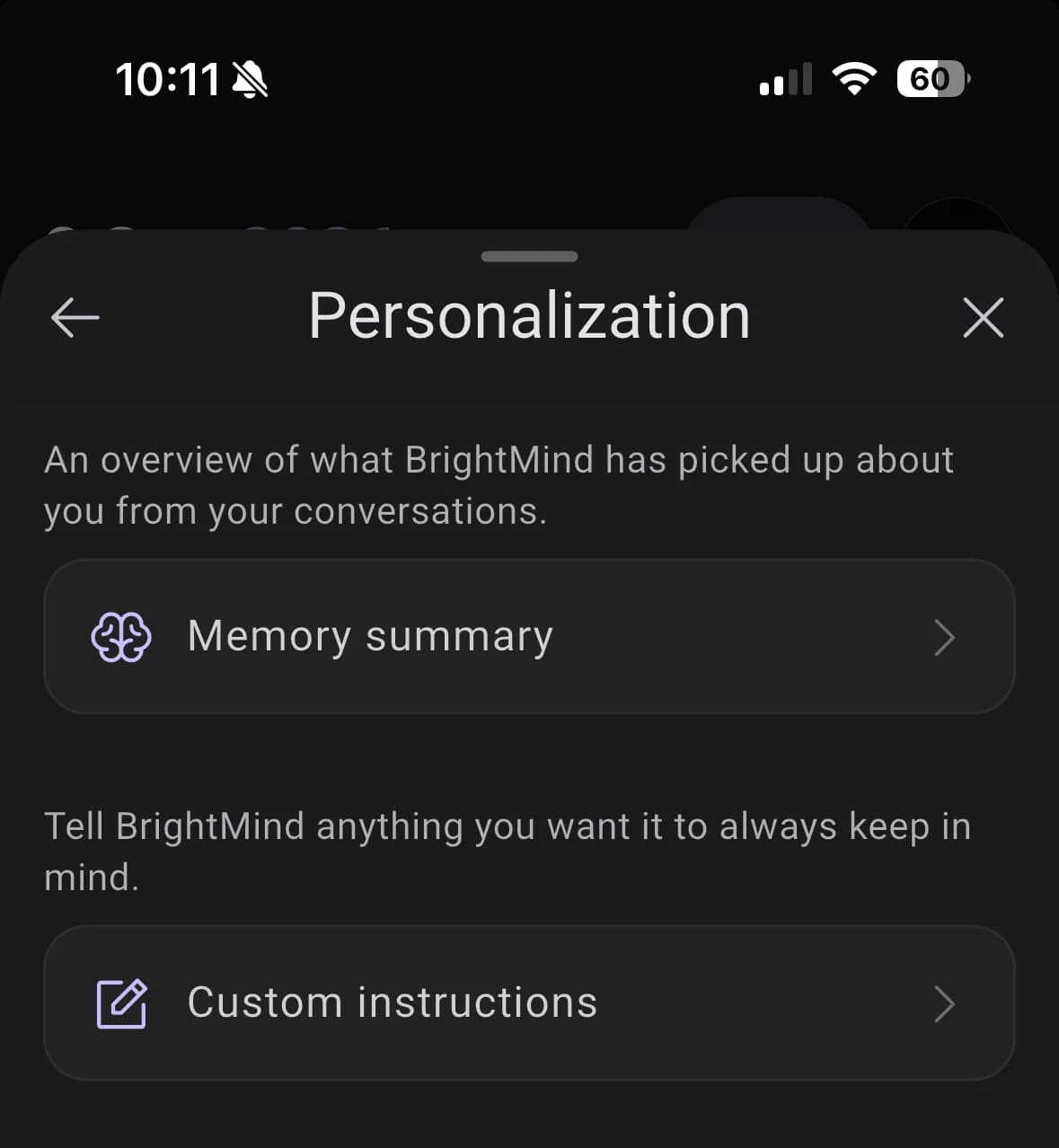
Settings, Personalize. A short written read of where you are right now, rewritten once a day from your chats, calls and brain dumps.

It is a summary, not everything BrightMind knows. Memory itself is wider and keeps working the way it did.

How memory works

Personalization page with a Memory summary row and a Custom instructions row
Improved

Custom instructions are back

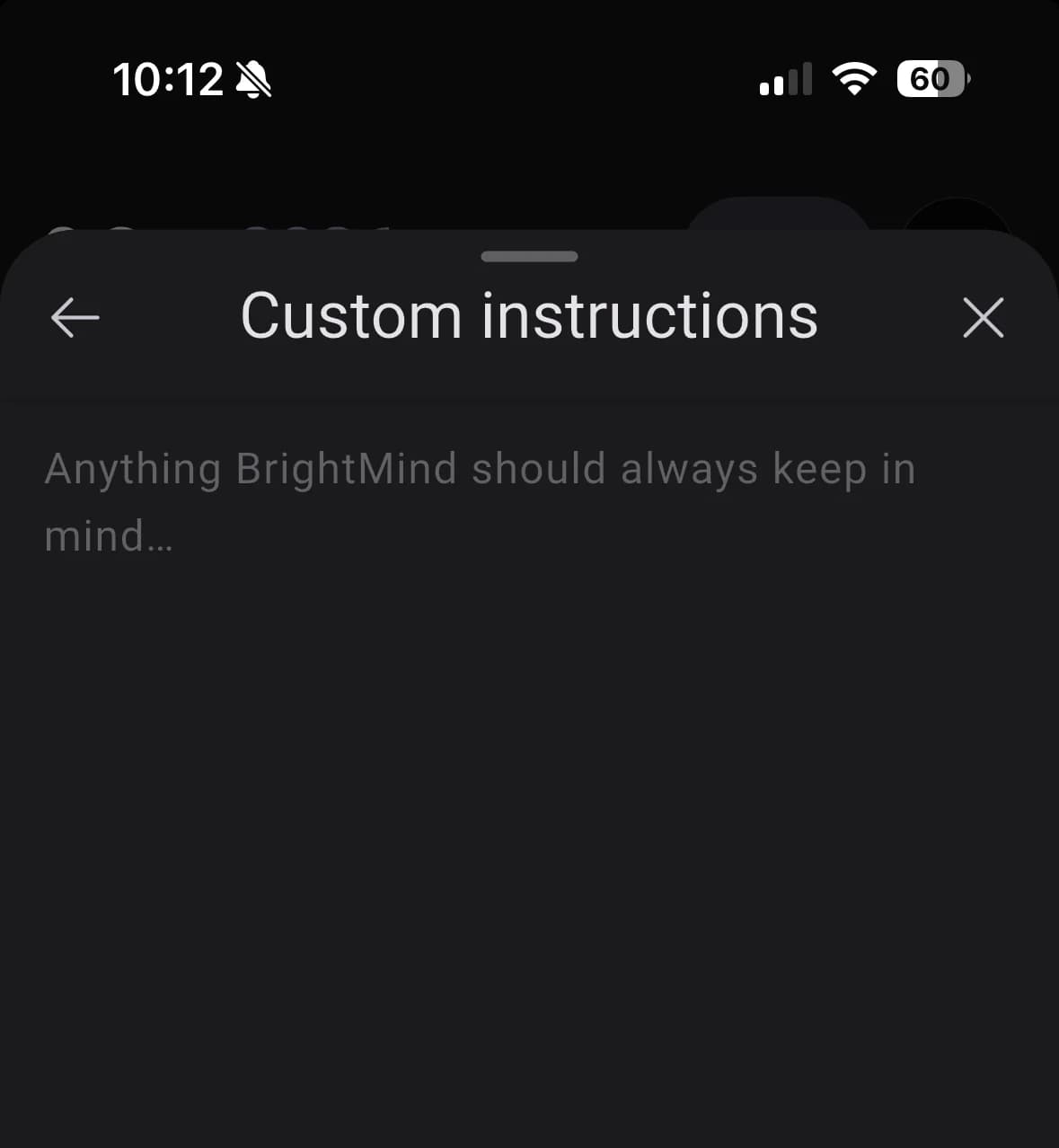
Tell BrightMind anything you want it to always keep in mind. It carries into calls as well as chat.

An empty custom instructions editor reading anything BrightMind should always keep in mind
Flows
  • Setting up asks about your task manager and your calendar separately, and leads with BrightMind's own tasks.
UI
  • Home, the item sheet, the calendar list and the memory summary show the shape of what is loading instead of a spinner.
AI
  • Reviewing overdue tasks says up front that it is only looking. Nothing moves until you pick.
UI
  • With finished and past items hidden, an unfinished task with a time vanished from Home once that time passed. Open tasks now stay.
AI
  • A brain dump that saved several things at once could still end with something went wrong. It now tells you what it got done.
Improved

A better memory

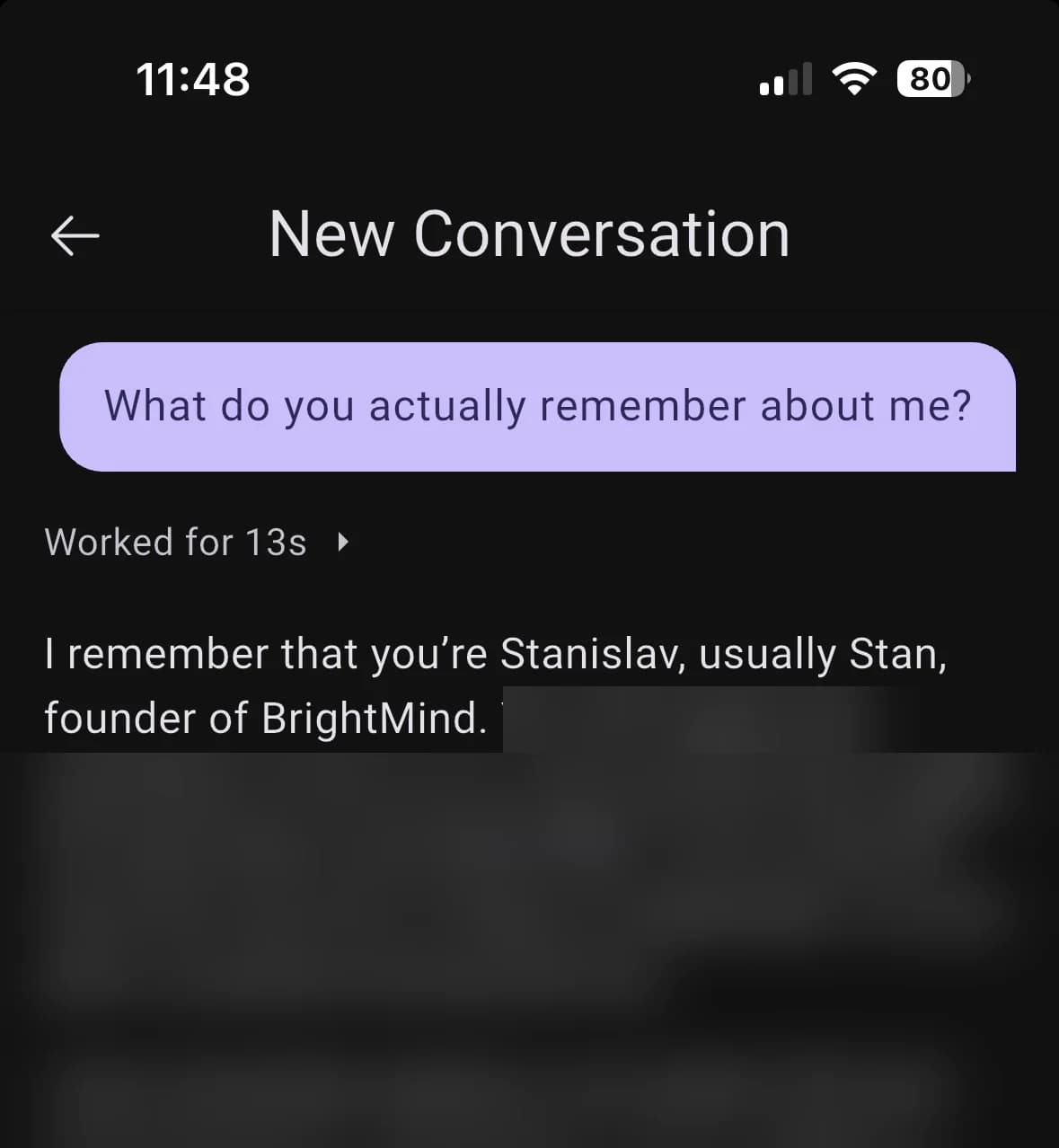
Memory just got simpler and more powerful. There is no profile to fill in and no need to ask BrightMind to remember something. It just will: whatever you tell it and whatever you agree on, in a chat, on a call or in a brain dump, stays remembered.

How memory works

Chat asking what BrightMind actually remembers, with the reply opening on the user's name and role
Improved

Your list colors, on Home

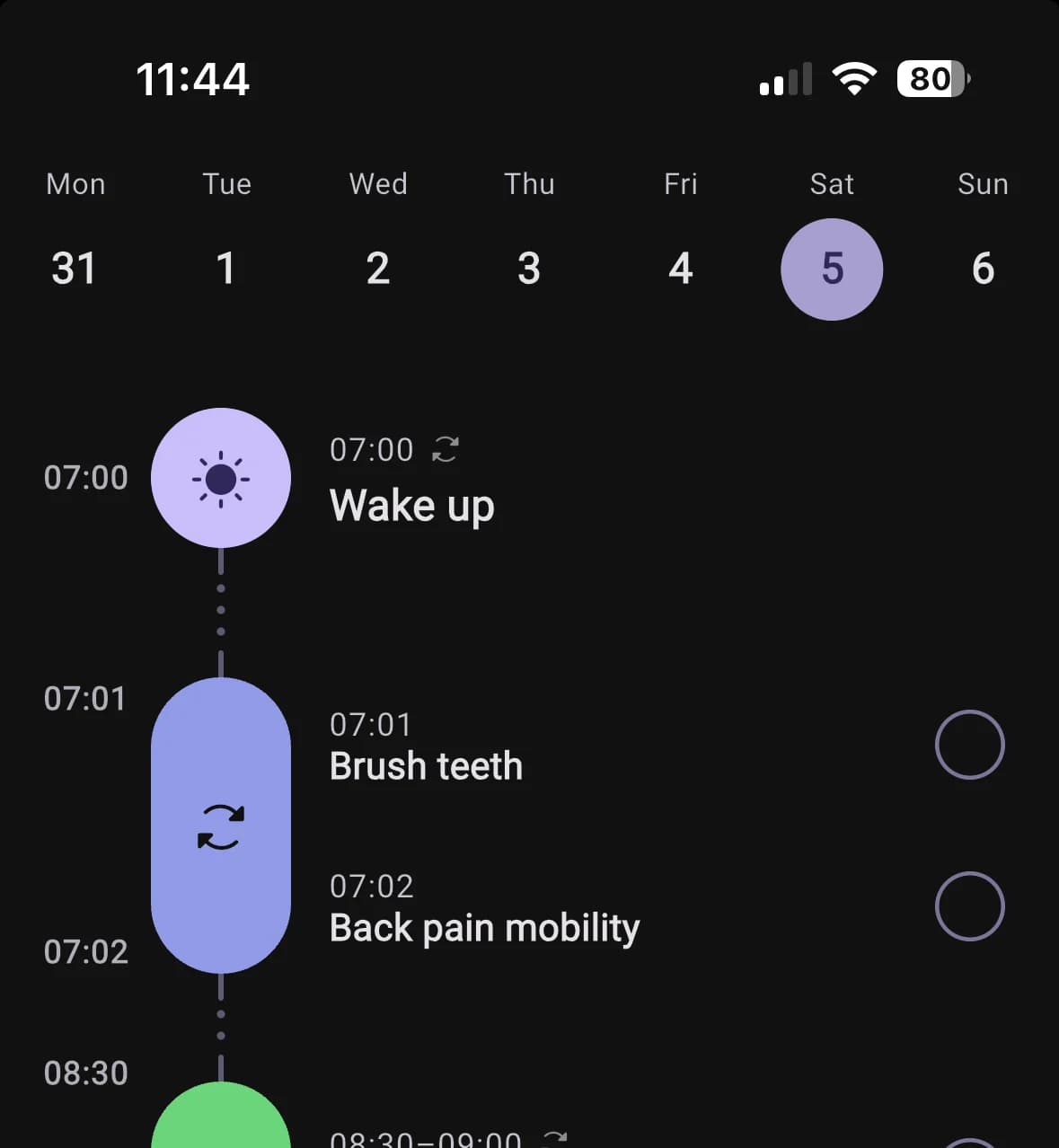
If a list or project has a color in Todoist, TickTick or Google Calendar, its items now show up on Home in that color. One glance tells you which part of your life each item belongs to.

Home timeline showing a wake up habit, a grouped morning routine and a completed breakfast block
New

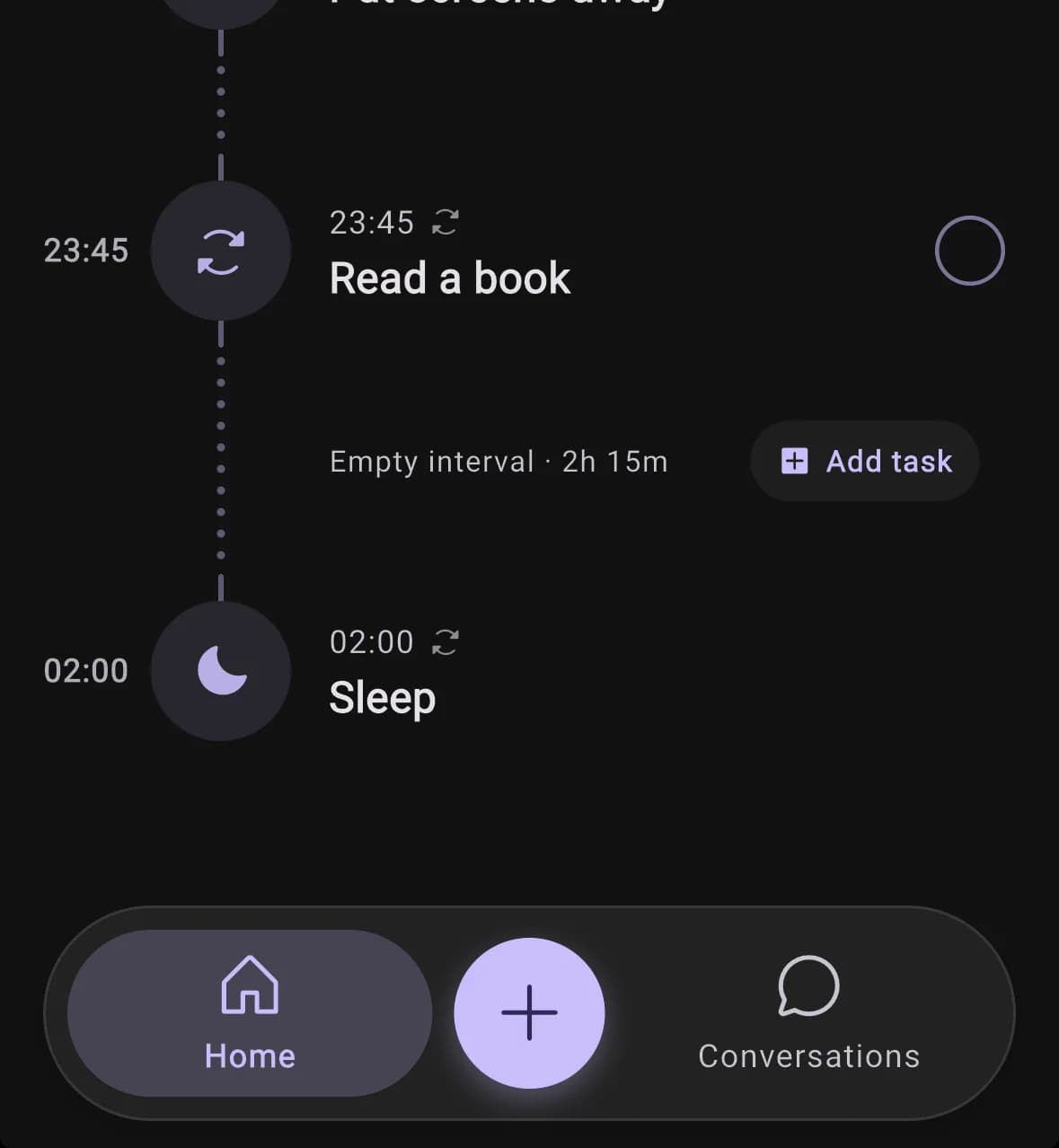
Bedtime after midnight stays on today

Set your bedtime to 2am and it shows on today's timeline, after your evening routine, instead of vanishing into tomorrow. Your day now ends when you actually go to sleep.

Home timeline evening with Put screens away at 23:00, Read a book at 23:45 and Sleep at 02:00
New

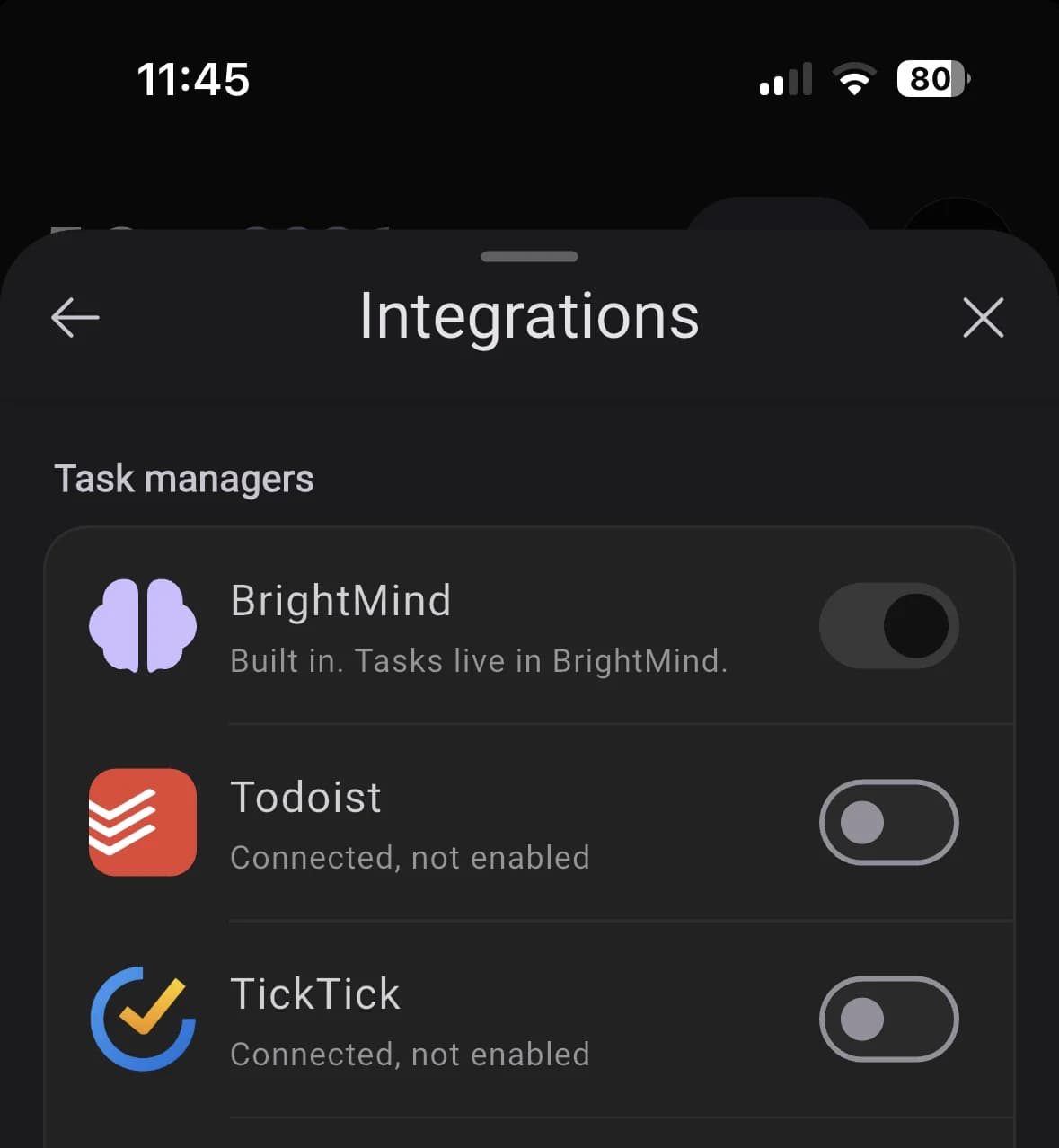
BrightMind now has its own tasks

Tasks, lists, subtasks, repeats and reminders live right in BrightMind and show up on Home, in your briefing and in the @ picker like everything else. It is already a better fit than Google Tasks. If you use Todoist or TickTick, stay with it for now, that is still the better experience.

This is the start of a task manager built for ADHD brains, with BrightMind doing the remembering, the nudging and the breaking down for you. Every task with a time gets a reminder that survives rescheduling, and tapping it lands you on the task.

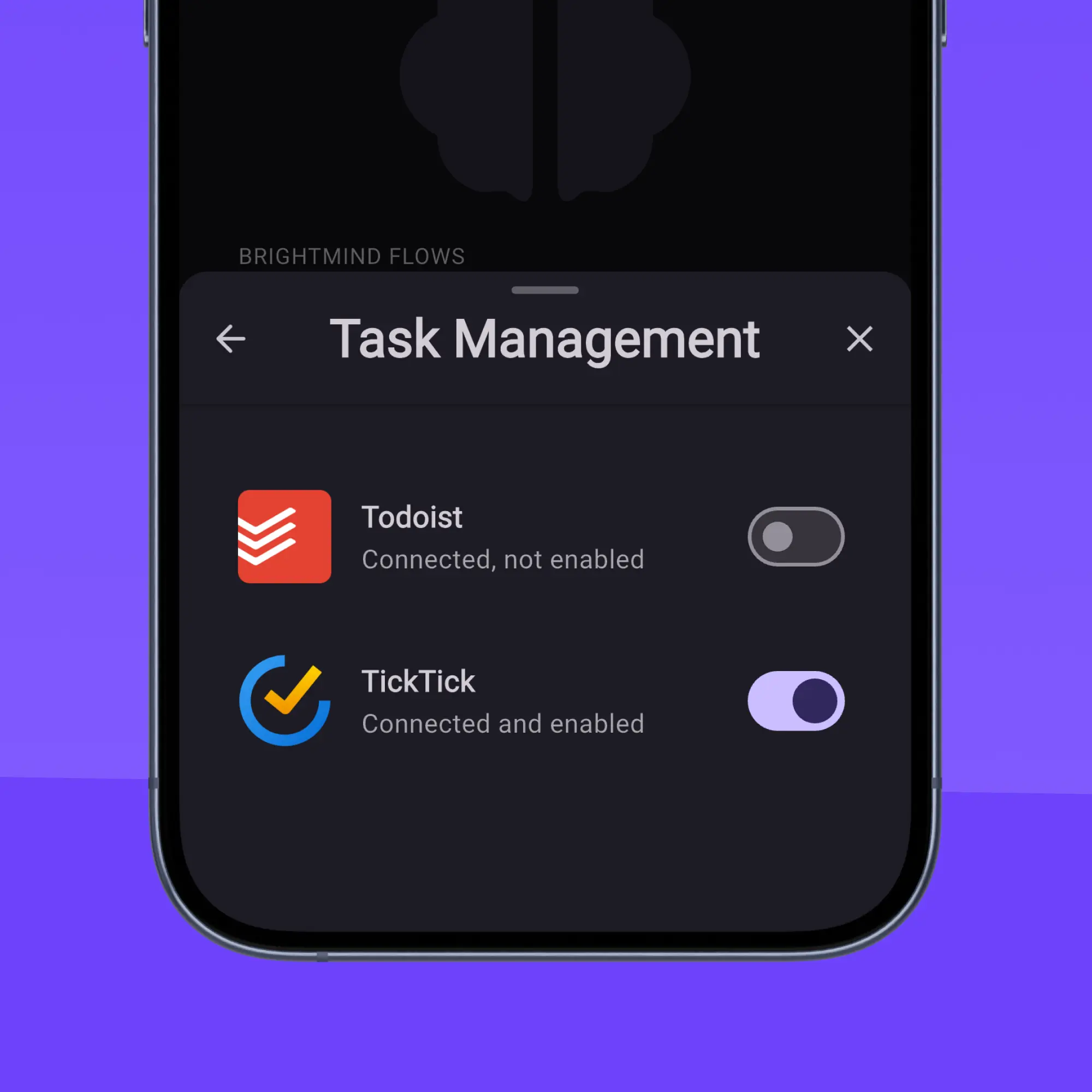
Integrations sheet listing BrightMind as a built in task manager above Todoist, TickTick and Google Tasks
Flows
  • Setting up is a ten minute conversation, not a form. It invites a brain dump, asks about your working style, and ends by building something with you. Connecting tools is a step you can skip.
  • Digging out of a backlog lists every overdue item numbered, with four choices each, and books real free slots in your day.
  • A Break it down action on any task splits it into small steps, shows them first, and saves them as subtasks once you confirm.
AI
  • BrightMind can ask questions you answer with a tap: options, ranked priorities, your own words, or skip. After a yes or no question, a suggested reply appears above the composer.
  • Ask BrightMind what it is, what it can do or what it costs, and it answers from its own knowledge instead of searching the web.
  • BrightMind checks the weather and remembers your home city. Send a link and it reads the page.
  • A task or event BrightMind mentions in chat links to the real record, so tapping it opens that exact item.
  • Chat runs on a newer model for everyone, free plan included.
Calls
  • On a call BrightMind stops narrating what it is about to do. One short filler, then the result. Ask it to tone down and it stays down.
  • No more internal jargon spoken on calls. No inbox, no priority 1, no not set.
  • Ask whether a scheduled call actually rang and you get a real answer, recurring ones included.
  • Call transcripts show one message per thing you said, not a sentence chopped into fragments.
UI
  • Tap an overdue pile on Home for a full sheet you can work through, with one button to hand it all to BrightMind.
  • Pick which day your week starts on and a 12 or 24 hour clock. Home, the habit grid and repeat chips follow on every device.
  • A haptic feedback toggle, a wake and sleep editor for one day or every day, profile editors that say how much to cut, and a bottom bar that stands out.
Integrations
  • Google Tasks is available to everyone again.
  • Task management and Calendar merged into one Integrations page, with BrightMind's built in tasks as an option.
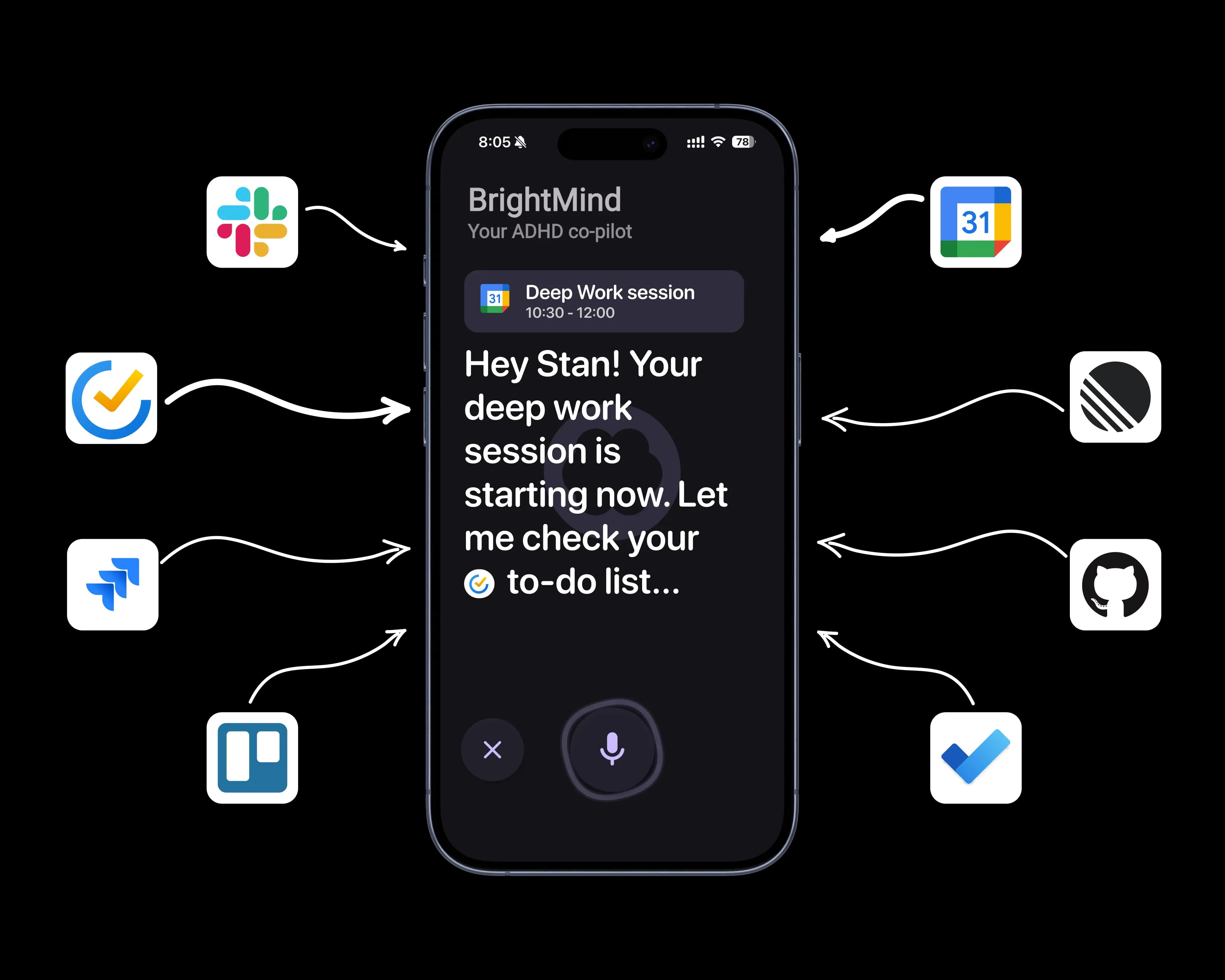
  • BrightMind works with TickTick countdowns and focus sessions and reads more task fields. Todoist gained skip this occurrence.
AI
  • Sending a photo or screenshot no longer leaves the reply spinning. Scanned PDFs are read as pictures instead of coming back empty.
  • Dumping a long list where one item needs a follow up no longer drops the others.
Calls
  • A call whose connection dies ends visibly within seconds instead of leaving you holding dead air.
  • Answering a scheduled call late, or calling back afterwards, works instead of failing on an expired invitation.
Performance
  • No more iOS freeze when a call starts or ends, and requests keep working after you background the app.
  • Ticking a habit or task off Home updates your briefing right away.
  • Swiping between days on Home no longer makes the timeline jump in height.
Integrations
  • Recurring Todoist tasks keep their time and repeat rule when edited. TickTick subtasks are created in the order you said them.
  • Moving a calendar event keeps its duration, a partly failed batch is not reported as success, and deleting an event you do not own is guarded.
  • Editing a TickTick task keeps its tags and checklist.
Flows
  • A bare date like Friday creates an all day task, not a midnight one that clashes with real appointments.
  • New recurring tasks count their next occurrence from when you actually finished, so a late chore stops piling up.
  • A repeating task you missed shows as today's occurrence, not a pile of overdue debt.
General
  • Crisis support lines are spoken in your own language.
  • The app no longer asks iOS for a location permission it never used.
  • The first onboarding message loads on the first try, the Plus screen shows once, and the Conversations tab opens your list.
New

Point at the exact task instead of retyping it

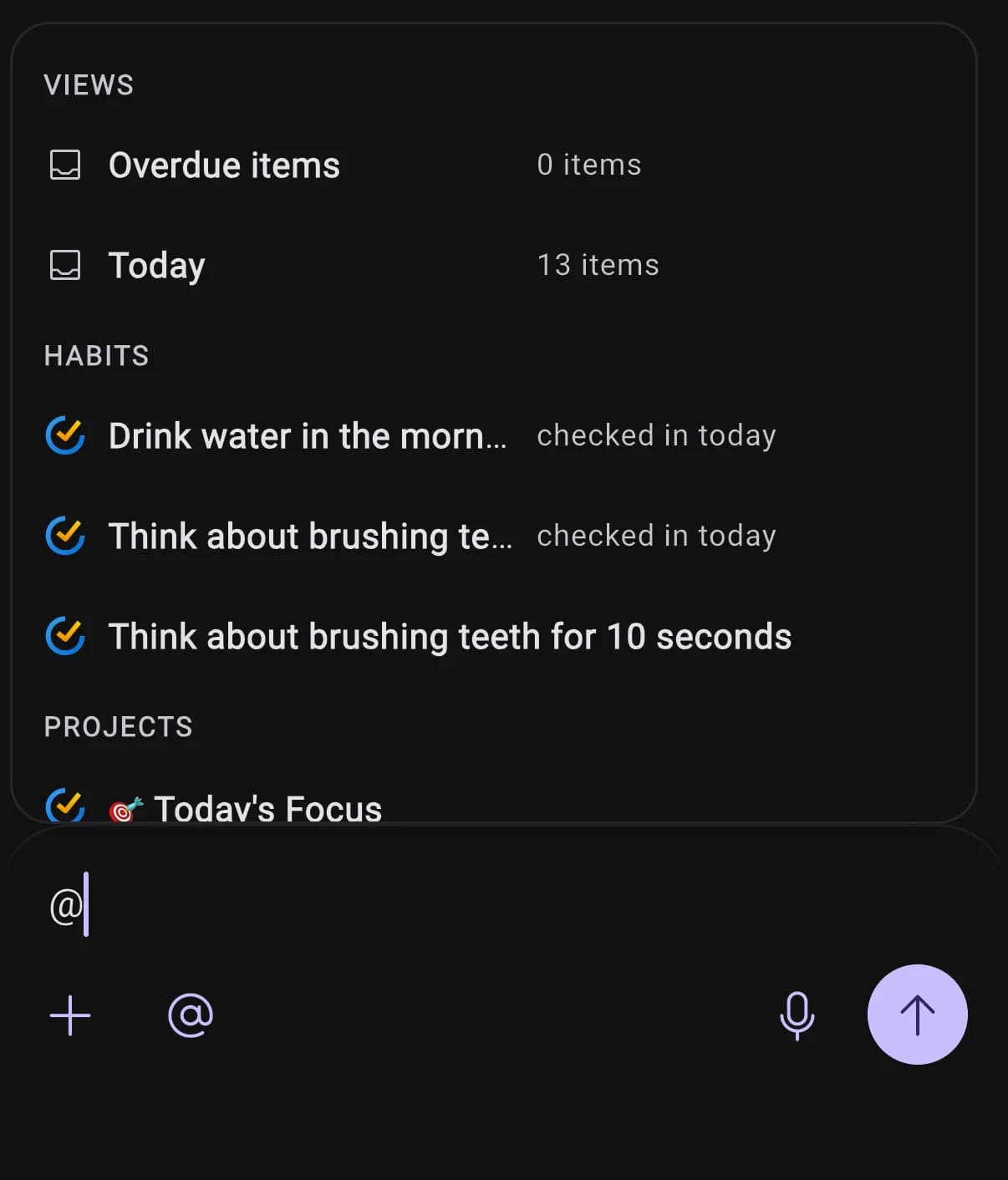
Type @ in the chat composer or the quick capture sheet and a picker opens on your own things: your Overdue and Today views with live counts, then tasks, habits, projects, calendars, events, and integrations. Keep typing and it searches deeper into Todoist, TickTick, Google Tasks, and Google Calendar. What you pick becomes an inline pill with the provider's icon, and BrightMind acts on that exact item instead of guessing from a title you typed out again.

Mention picker showing Views with item counts, Habits with check-in status, and Projects
New

See what BrightMind is doing while it works

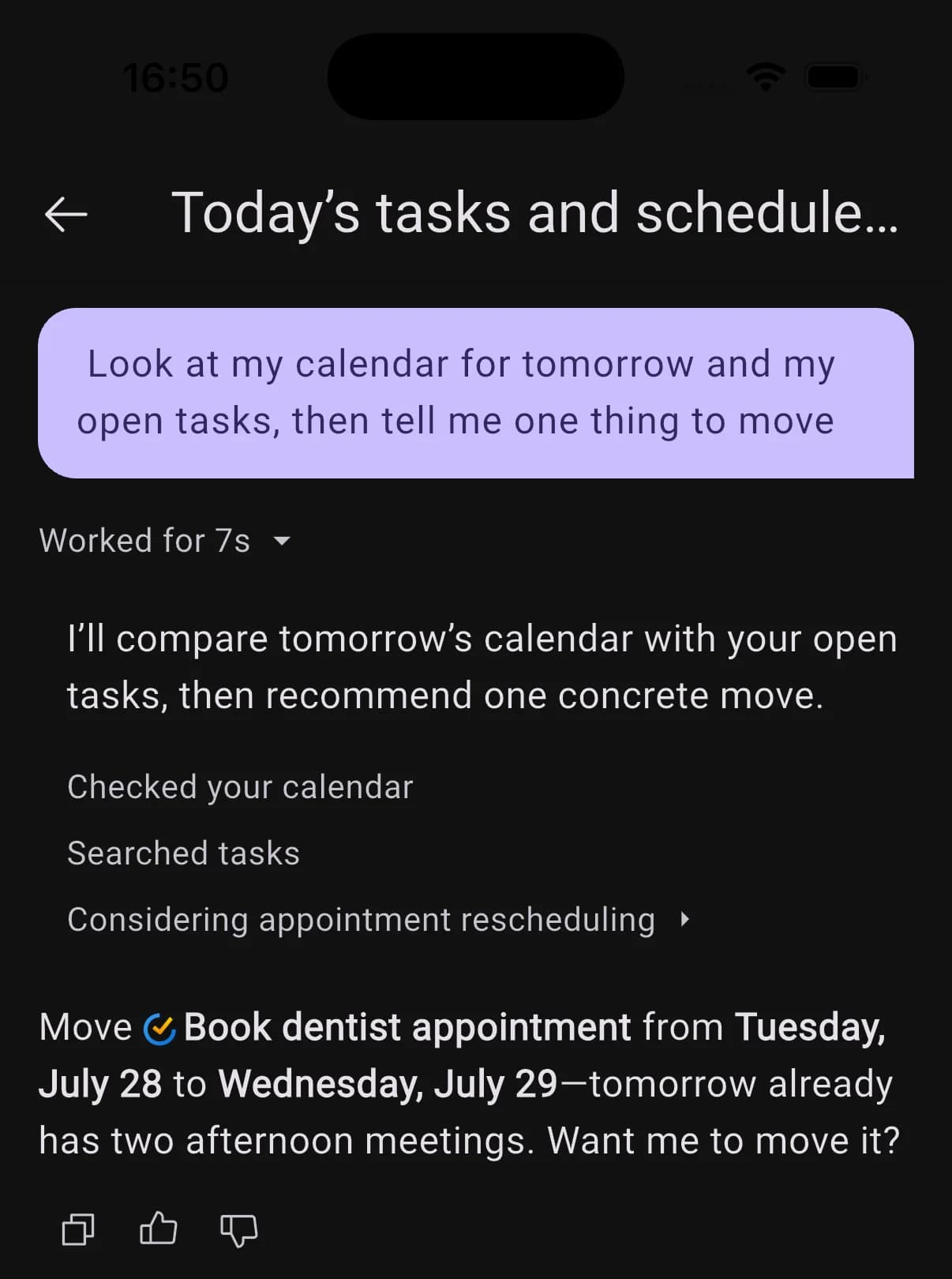
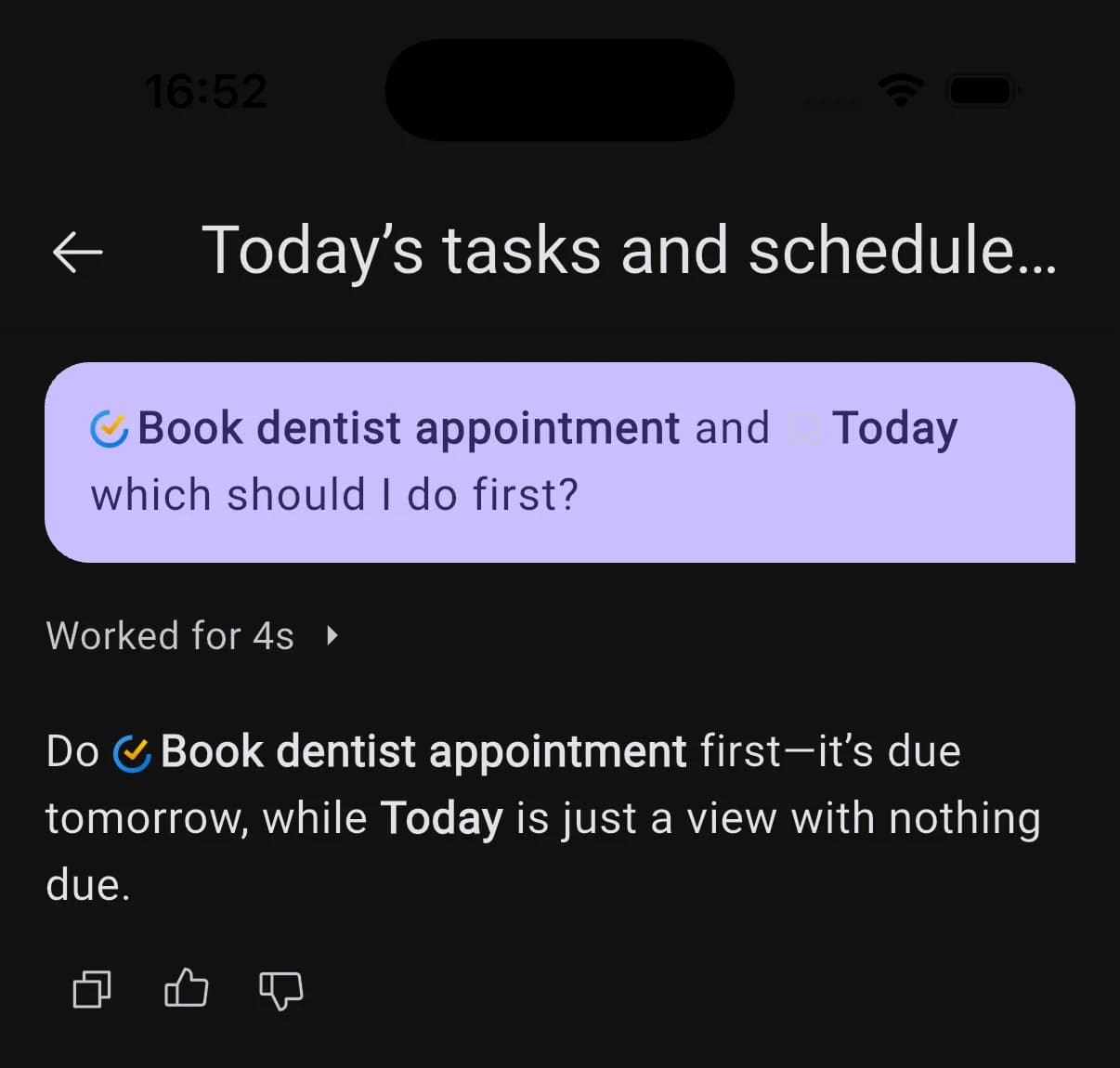
While a reply comes together you get a plain-language line for the step it is on, instead of a spinner. Once the turn finishes it collapses into one line with the time it took, which you can expand to read every step: checked your calendar, searched tasks, and so on.

Expanded Worked for 7s accordion listing checked your calendar, searched tasks, and considering appointment rescheduling
New

Tap anything the agent brings up

When BrightMind recommends a task, event, project, or habit, it now links the real item. Tap it to open the full details in a sheet, without going to find it in your task manager first.

Chat message with inline mention pills and an agent reply linking the referenced task
UI
  • Home's quick prompts, like Help me start and the overdue reset, now open the chat with a mention of the actual item or view rather than a wall of pasted text.
New

Your whole day, finally in one place

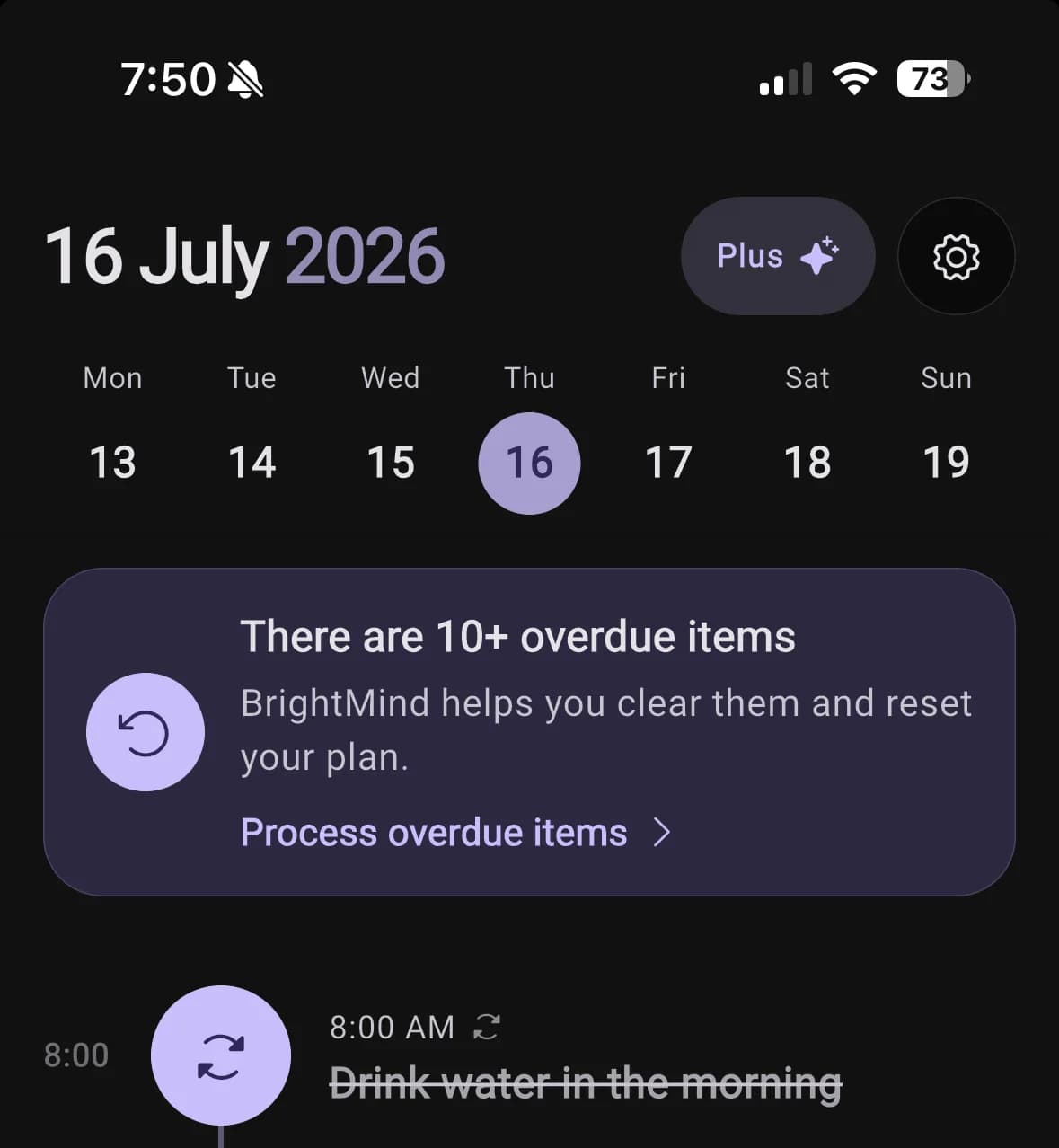
Home now brings timed tasks, habits, calendar events, scheduled calls, and anytime items into one clear timeline. Move through the week, spot open time, open anything for its full details, or ask BrightMind to help you get started without leaving your plan.

Learn how to use Home →

BrightMind Home timeline with the week selector, overdue items action, and scheduled habits
Improved

Conversations, without the clutter

Pinned chats stay where you put them, while everything else lives in one compact list with clear dates. Your place is remembered when you switch tabs, and tapping the active tab again takes you straight back to the top.

General
  • Long conversations and voice calls now load their complete history instead of stopping early.
Performance
  • Picking a photo, using dictation, and ending a call no longer cause long pauses in the app.
New

Save your progress on every device

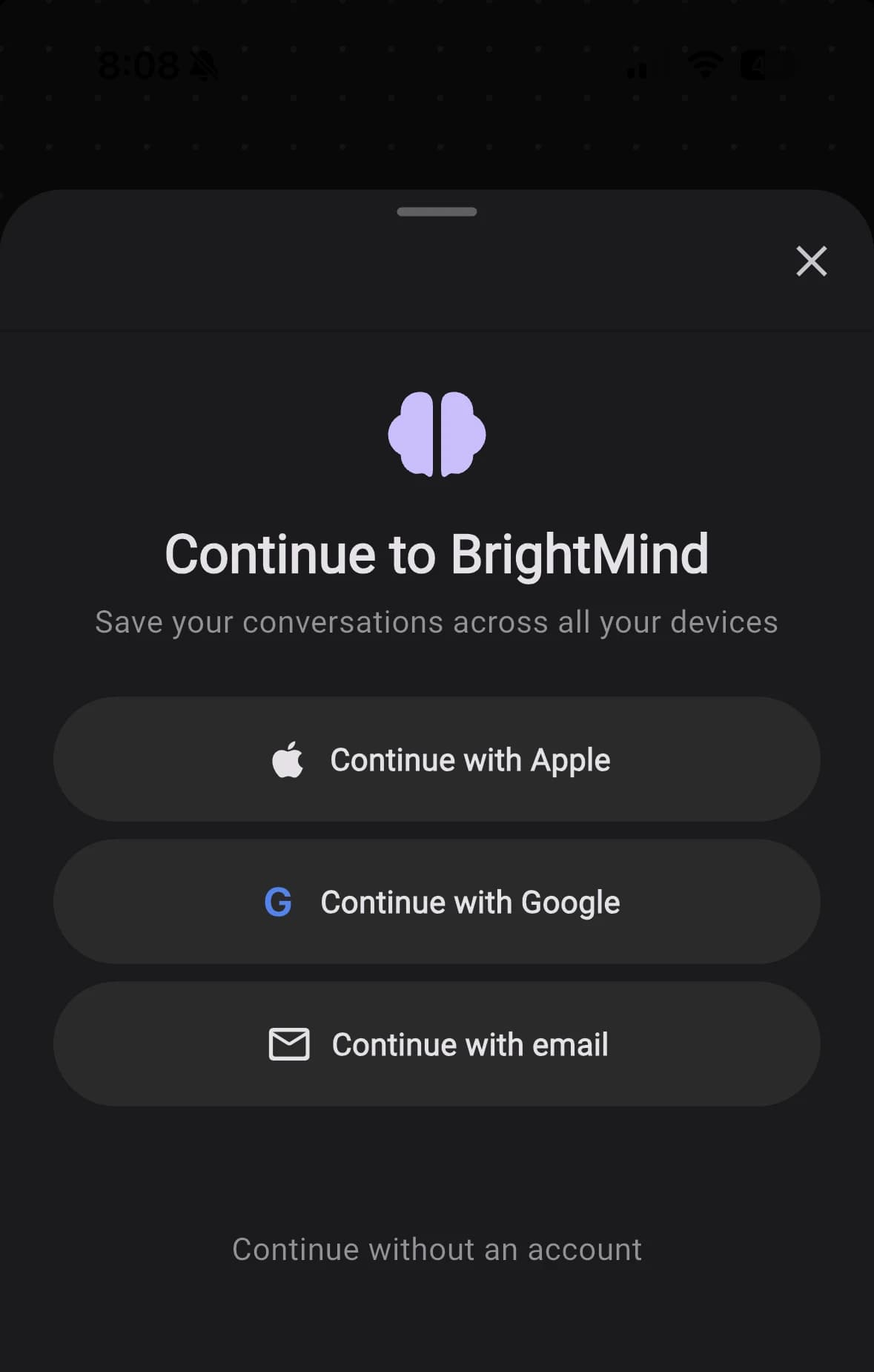
Sign in with Apple, Google, or email to back up your conversations and keep them in sync across all your devices, so you never lose a thing. Signing in stays optional, and everything you have already captured comes with you the moment you do.

Continue to BrightMind sheet: save your conversations across all your devices by signing in with Apple, Google, or email
New

A BrightMind that knows you

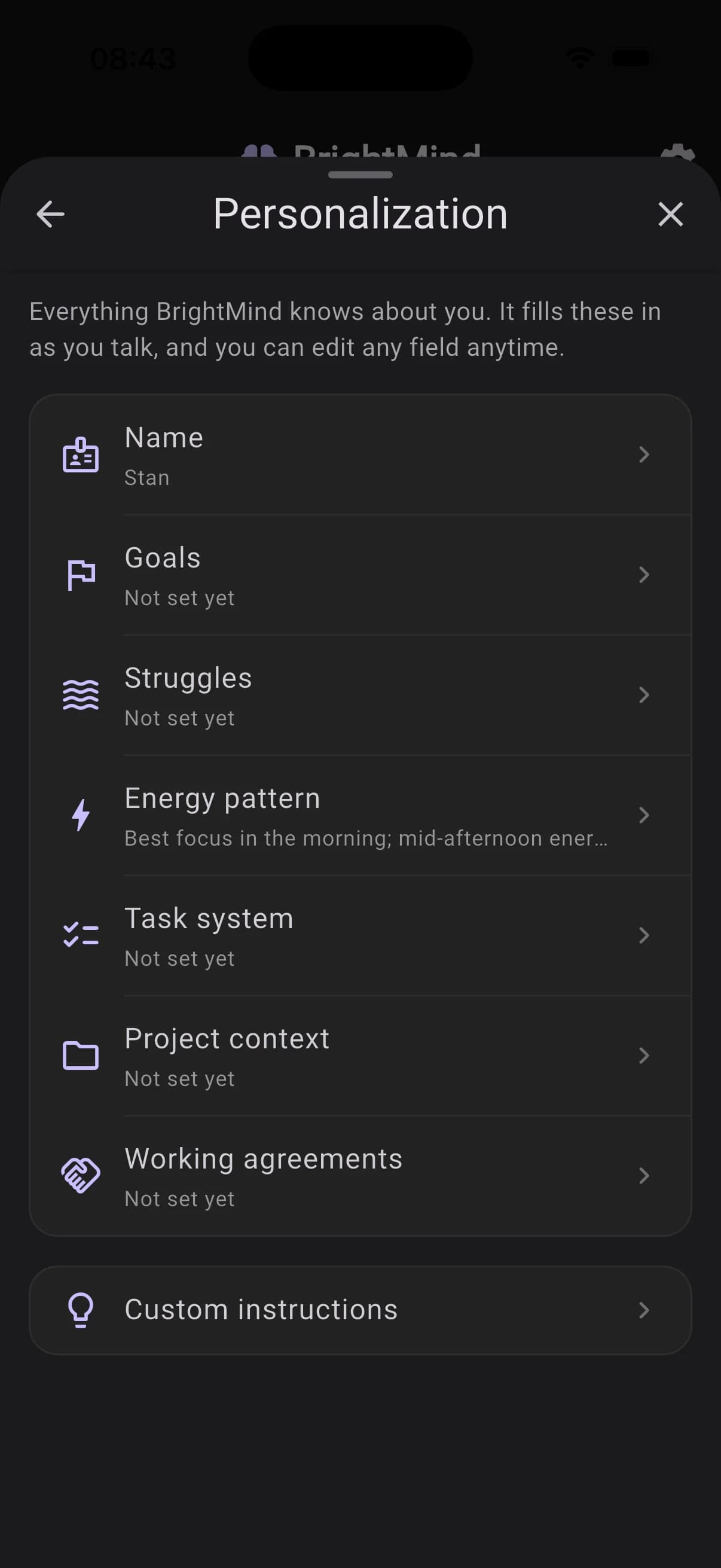
BrightMind now keeps a profile of who you are: your goals, what gets in your way, your energy patterns, how you track tasks. It draws on all of it in every chat and call, so the help fits you. It learns by listening, starting with a short welcome call right after signup, and everything it remembers lives in Settings → Personalization, where you can read, edit, or switch off any field.

Personalization settings showing the profile fields BrightMind fills in as you talk
New

Capture anything with Siri

Say "Hey Siri, capture in BrightMind" and dictate whatever's on your mind, even several things at once. BrightMind files each one as a task, event, or note, then confirms by notification. It works hands-free from the Lock Screen, AirPods, and CarPlay, with nothing to set up.

See all the Siri phrases →

UI
  • BrightMind now uses one consistent bottom navigation bar everywhere, so your main sections stay one tap away no matter the screen.
AI
  • The agent is warmer but more honest: it won't invent details it doesn't have, and when a lookup comes back empty it tells you plainly instead of guessing.
Integrations
  • If your connected task manager loses its connection, BrightMind now lets you know so you can reconnect in Settings, instead of quietly failing in the background.
Performance
  • Trimmed the agent's tool setup and removed an extra round trip for the current time, so replies start a touch faster.
General
  • Unsupported video attachments are now rejected with a clear message instead of silently vanishing from the conversation.
  • Tapping the mic with the keyboard open no longer causes a brief hang on iOS during dictation.
Calls
  • Scheduled calls that were briefly missed are now caught up rather than stranded, and a call set for a time that has already passed no longer hangs in limbo.
New

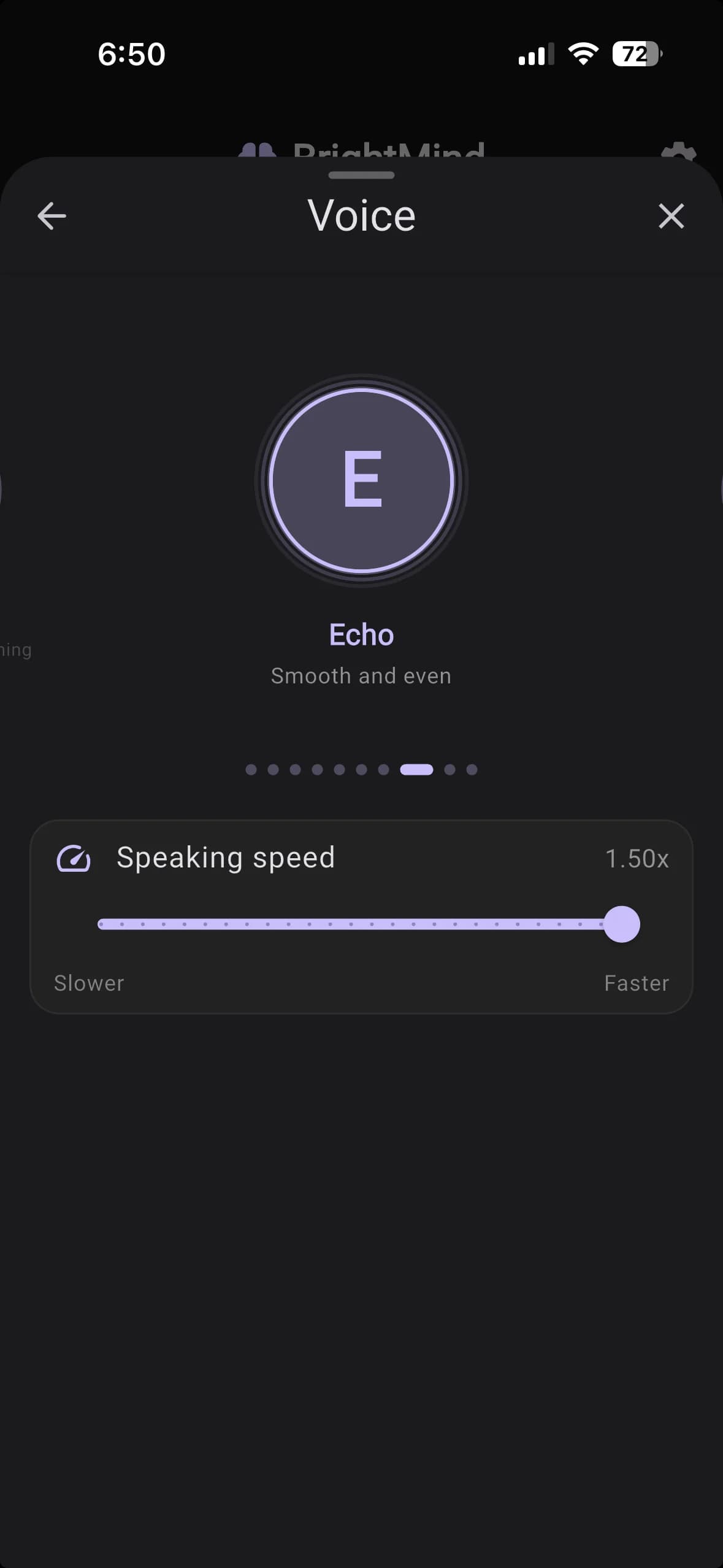
Choose your voice

Pick the voice and personality BrightMind uses in every call. Swipe through the roster in Settings → Voice, tap the one that fits, and adjust the speaking speed with the slider below — anywhere from a relaxed pace to brisk. Your choice sticks across all future calls.

Voice picker showing Echo — Smooth and even — with a speaking speed slider
Improved

Smarter about where your tasks live

BrightMind now starts every conversation already knowing your task lists and projects. So when you ask it to save something, it drops the task into the list that actually fits instead of dumping everything in your inbox — and when you ask what's on your plate, it knows exactly where to look. No more telling it which list you meant.

AI
  • The agent now routes to specialised skill modules for complex tasks, keeping responses sharper and more focused regardless of whether you're in chat or a live call.

Connect your Google Calendar

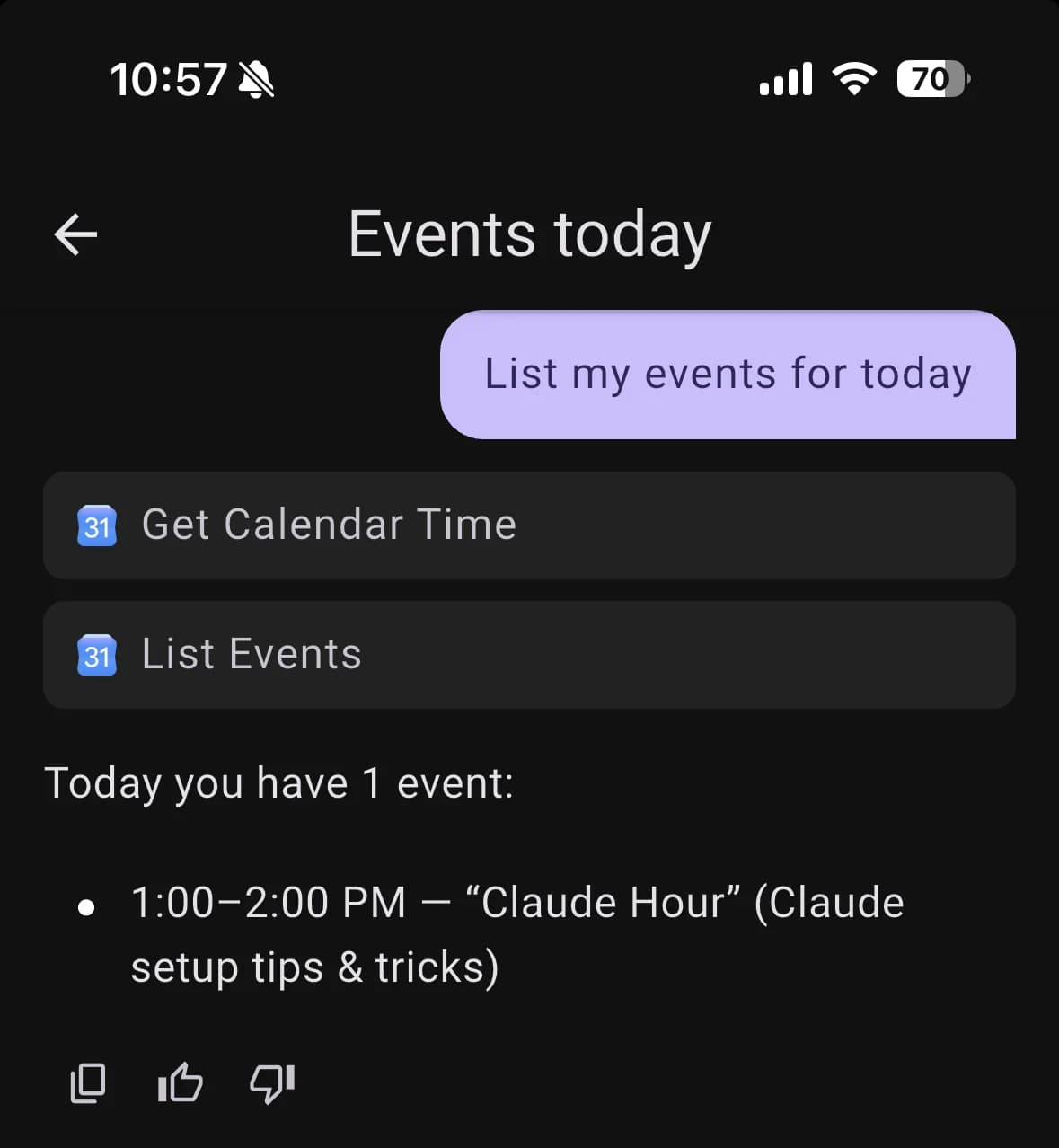
BrightMind now connects to Google Calendar. Once linked, it can see what's already on your schedule and add events for you — in chat and in voice calls alike. Ask it to block time for deep work, and it slots the task around the meetings you already have instead of on top of them.

Open Settings → Calendar to connect the Google account you want to use.

Calendar settings showing a connected Google account
Improved

Faster to open, faster to talk

The app launches noticeably quicker from a cold start, and voice calls connect about three times faster — the silent gap between tapping call and BrightMind actually listening is down from a few seconds to roughly one.

Improved

Keep working while a reply streams

You no longer have to wait for BrightMind to finish writing before you do anything. The input bar and its actions stay live while a response streams in, so you can line up your next message or attach a file mid-answer.

Calls
  • When a voice call ends because you've hit your usage limit, BrightMind now tells you why and points you to upgrading, instead of just dropping the call.
  • Scheduled calls now keep a short lead time, so a call you ask for can't land in the past and silently never fire.
AI
  • Sharper task handling: BrightMind is better at picking the right project for a new task and routing it to the task manager you've made your preferred one.
General
  • Fixed older conversations that contained an image failing to reopen — the expired image link is now refreshed automatically instead of erroring.
  • Various stability and reliability fixes across iOS and Android.
Integrations
  • Corrected how TickTick due times are interpreted, so tasks land at the time you actually meant.
New

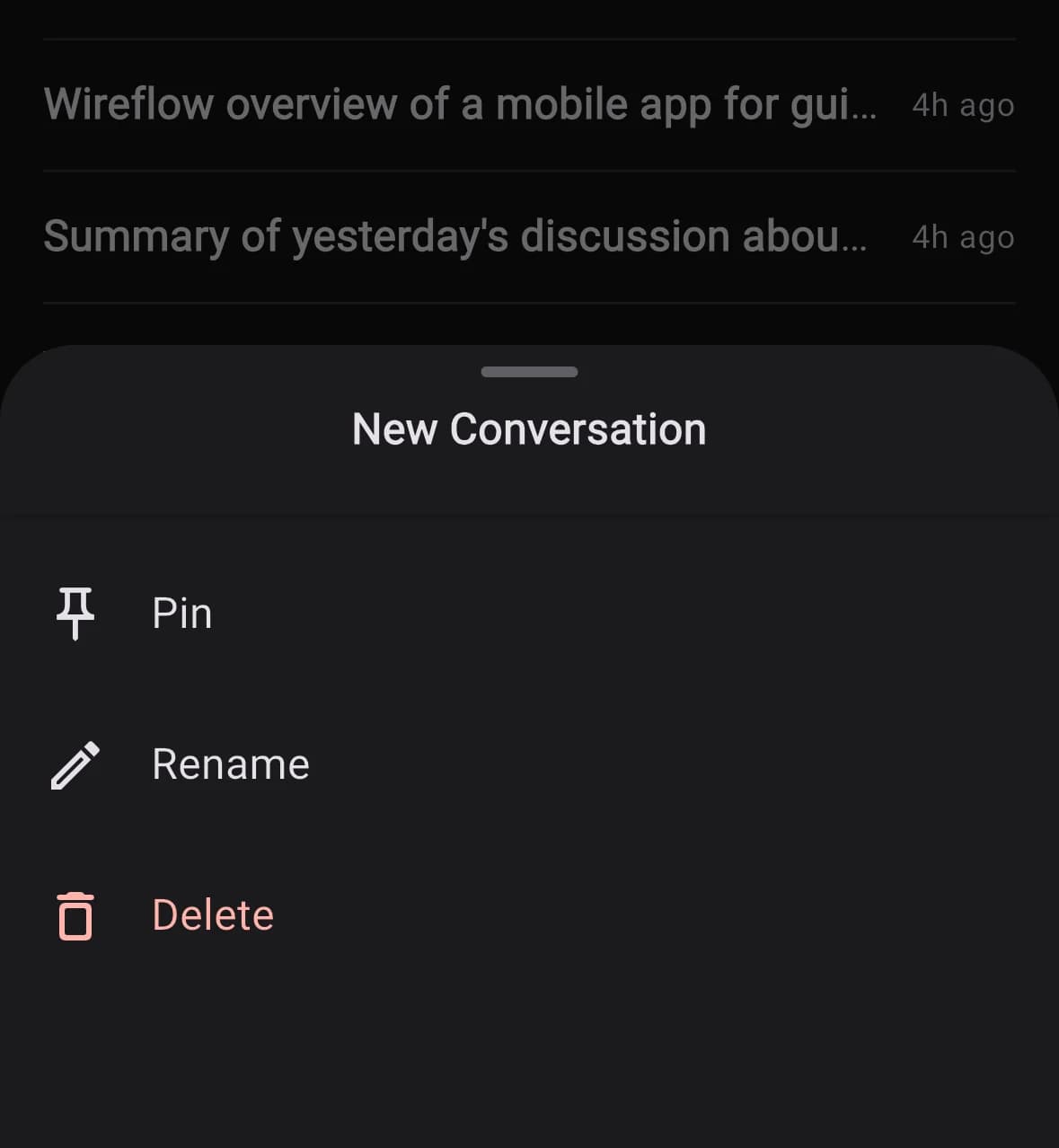
Pin, rename, and delete chats

Long-press any conversation to pin it, rename it, or delete it. Pinned chats stay at the top of the list, so the threads you keep coming back to are always one tap away — no more scrolling past last week's grocery list to find your active project.

Bottom sheet showing Pin, Rename, and Delete actions for a conversation
Improved

Screen stays awake during voice calls

Your phone no longer locks itself in the middle of a voice conversation. Put it down on the desk, walk across the room, keep talking — the screen stays on while BrightMind is listening, so the call doesn't drop just because you stopped tapping.

Performance
  • Chat is more reliable end-to-end. Long agent responses are noticeably steadier, with fewer mid-stream stalls and reconnects.
Flows
  • The first-run demo conversation now happens inside the task-manager inbox, where the rest of your tasks already live — so the demo doubles as a tour of where real work will happen.
AI
  • The agent now asks one question at a time instead of stacking three at once, so replies feel like a conversation rather than a form.
  • Better handling of long-term memory: clearer about what it remembers from past conversations and more deliberate about which preferences it persists.
  • When you ask the agent to create a task, it only fills in fields you actually mentioned — no more inventing due dates or priorities you didn't ask for.
General
  • Fixed conversation renames and deletions that were silently failing on the server, and a rare mismatch where voice calls pointed at the wrong thread.
  • Corrected the ASRS onboarding form so scoring matches the standard scale.
  • Various bug fixes and stability improvements across iOS and Android.
New

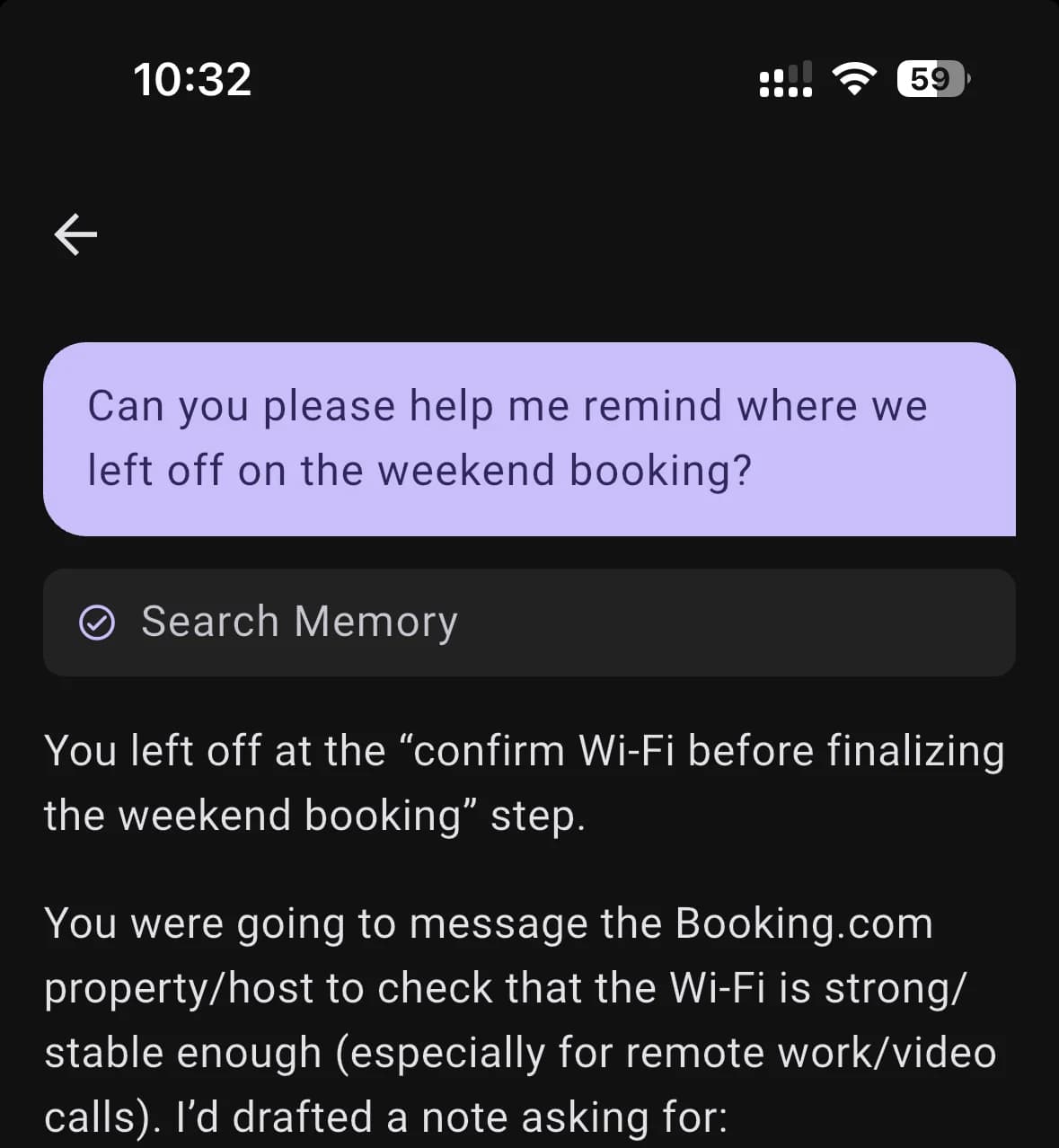
Memory Recall

BrightMind can now search your past conversations and recall what you talked about before. Ask where you left off on a project, or what you decided last week, and it can pull the answer from earlier chats and voice calls instead of asking you to re-explain.

BrightMind voice call recalling memory about user's preferences
Improved

Faster voice dictation

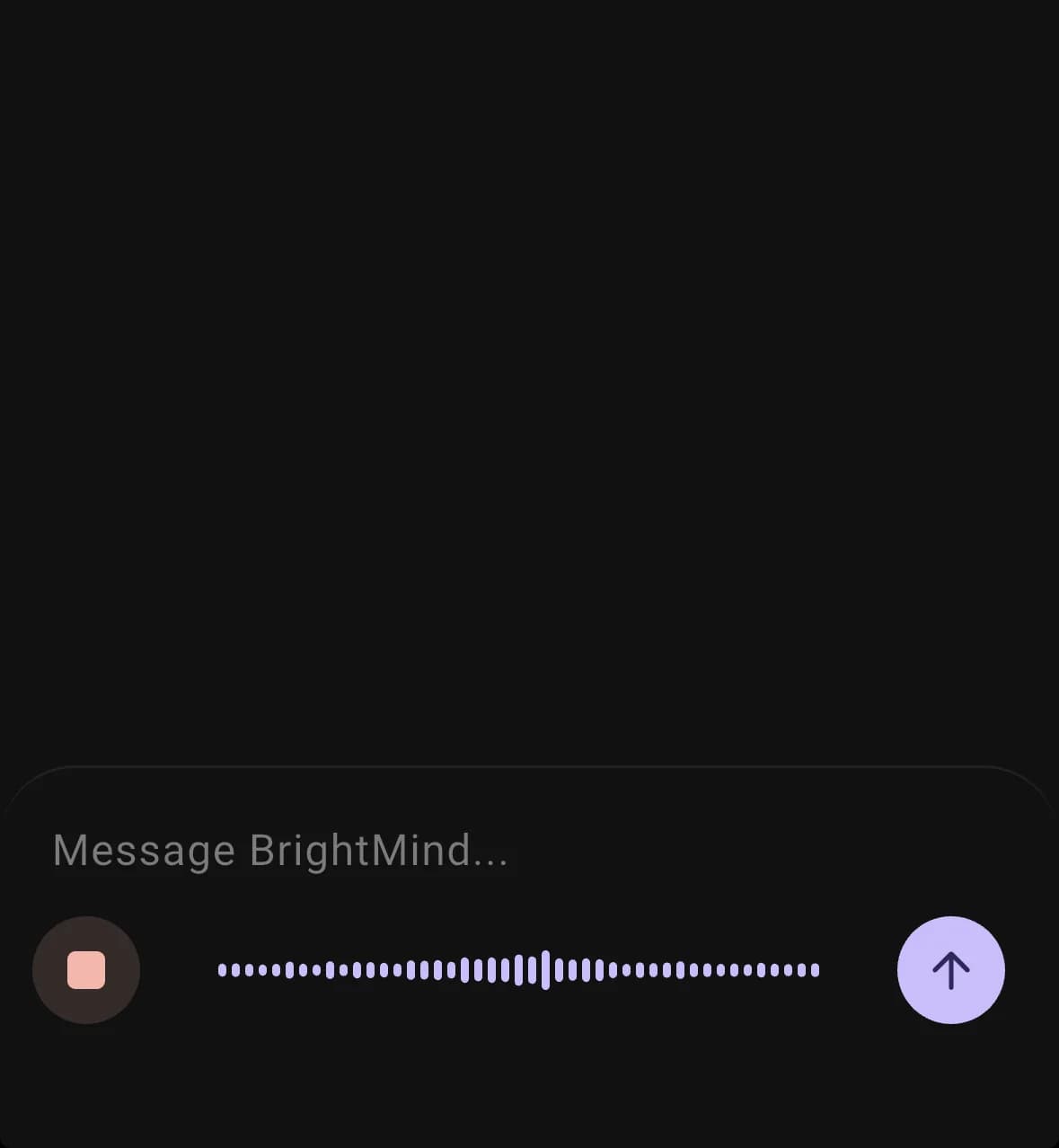
Voice dictation now starts transcribing the moment you start speaking, instead of waiting until you stop. By the time you tap to finish, the transcript is already mostly there — so long thoughts feel snappy instead of leaving you staring at a spinner.

BrightMind transcribing dictation in the background while the user speaks
AI
  • Voice conversations get auto-generated titles, just like chat threads, so they're easier to find later
UI
  • Chat is now the default tab when you open the app, matching how most people start their day
  • Tightened spacing in the settings modal and other small layout polish
Performance
  • Smoother streaming for long agent responses — no more end-of-stream flicker on heavy turns
Calls
  • Fixed cases where the voice agent could lose conversation history when resuming a session
General
  • Paywall now shows the correct price so the value is clear up front
  • Various bug fixes and stability improvements across iOS and Android
New

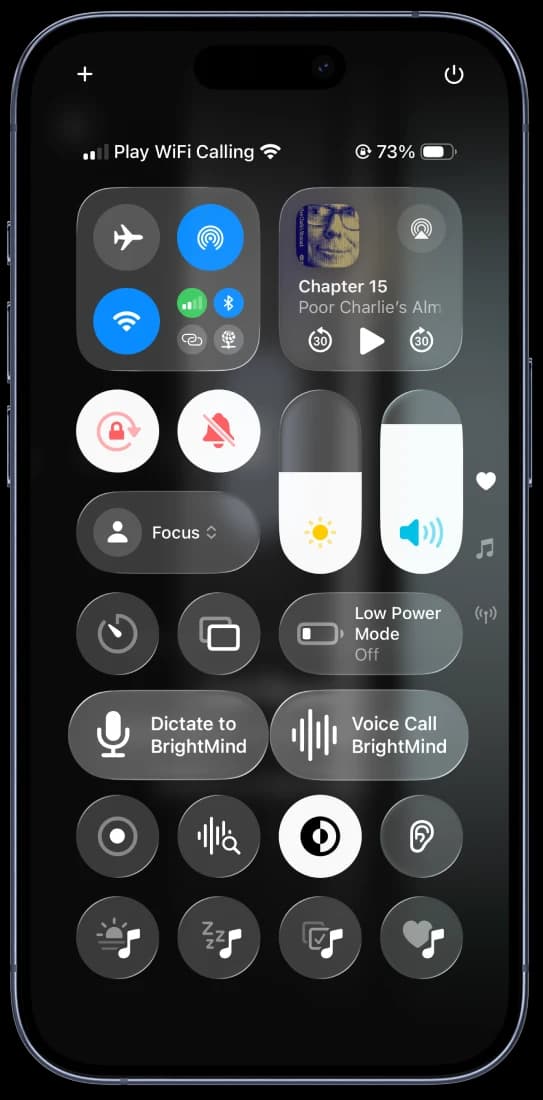
iOS: BrightMind Meets Siri, Shortcuts, and Control Center

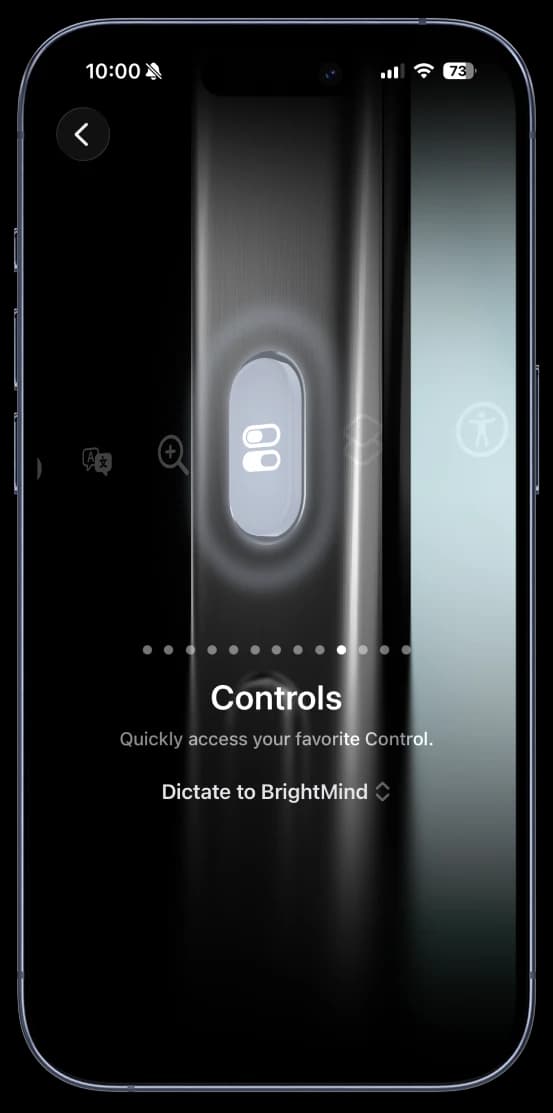
Say "Hey Siri, Dictate to BrightMind" or "Hey Siri, Talk to BrightMind" to start instantly — no need to open the app. Build custom automations in the Shortcuts app, add one-tap widgets to your Control Center, or assign BrightMind to the Action Button for the fastest access possible.

BrightMind Dictate and Voice Call widgets in iOS Control Center
BrightMind Dictate assigned to iPhone Action Button
New

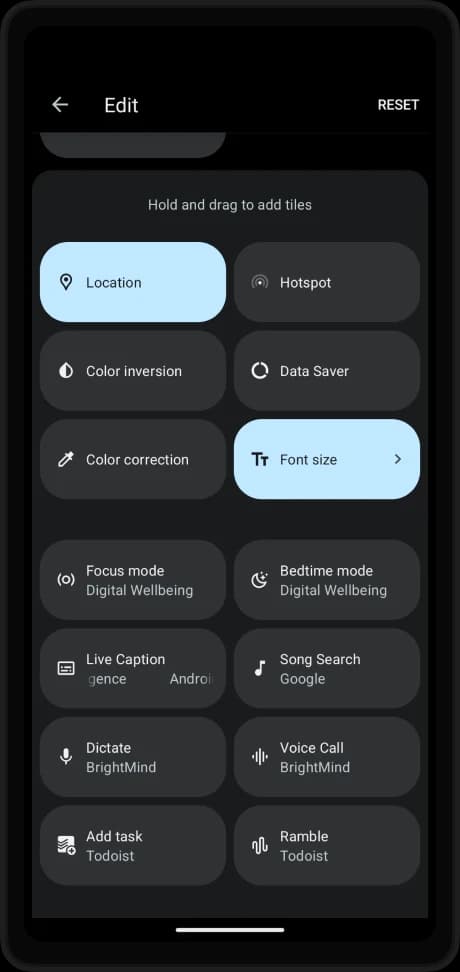
Android: Quick Settings Tiles and App Shortcuts

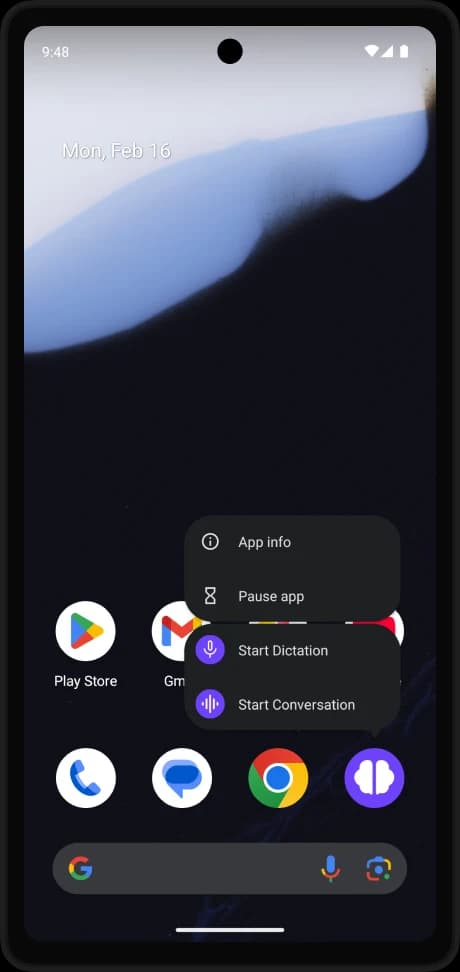
Add Dictate and Voice Call tiles to your notification shade for instant access from anywhere on your phone. Long-press the app icon to jump straight into a dictation or voice conversation — no extra taps needed.

BrightMind Dictate and Voice Call tiles in Android Quick Settings
BrightMind Start Dictation and Start Conversation app shortcuts
Performance
  • Faster cold-start handling when launching from system shortcuts
  • Smoother transitions when resuming from background via tiles or Control Center
General
  • Various bug fixes and stability improvements across iOS and Android
New

Your AI Voice Companion is Here

BrightMind is officially available. Talk naturally with your AI companion to capture thoughts, organize tasks, and plan your day. Our voice-first approach makes productivity feel like a conversation, not a chore.

BrightMind app showing voice conversation interface
New

Connect Your Favorite Task Managers

Seamlessly sync with Todoist and TickTick. BrightMind understands your existing task structure and helps you manage tasks without leaving the conversation. More integrations coming soon.

Task manager integration with Todoist and TickTick
Calls
  • Set up proactive voice calls that fit your schedule for accountability check-ins
AI
  • Support for multiple languages - communicate naturally in your preferred language
General
  • Available on App Store for iOS and Google Play for Android
UI
  • Streamlined onboarding to get you productive within 2 minutes
Integrations
  • Intelligent task organization with automatic project and label suggestions
General
  • Initial public release with core functionality

Download BrightMind today

Available on iPhone and Android. Say what is on your mind, and it becomes a plan you can actually start.