
Real Game Changerfor ADHD
BrightMind is an AI companion for ADHD. Talk or type, and it captures your thoughts, breaks tasks into tiny doable steps, and plans them in its own task list, or in Todoist, TickTick, or Google Calendar.


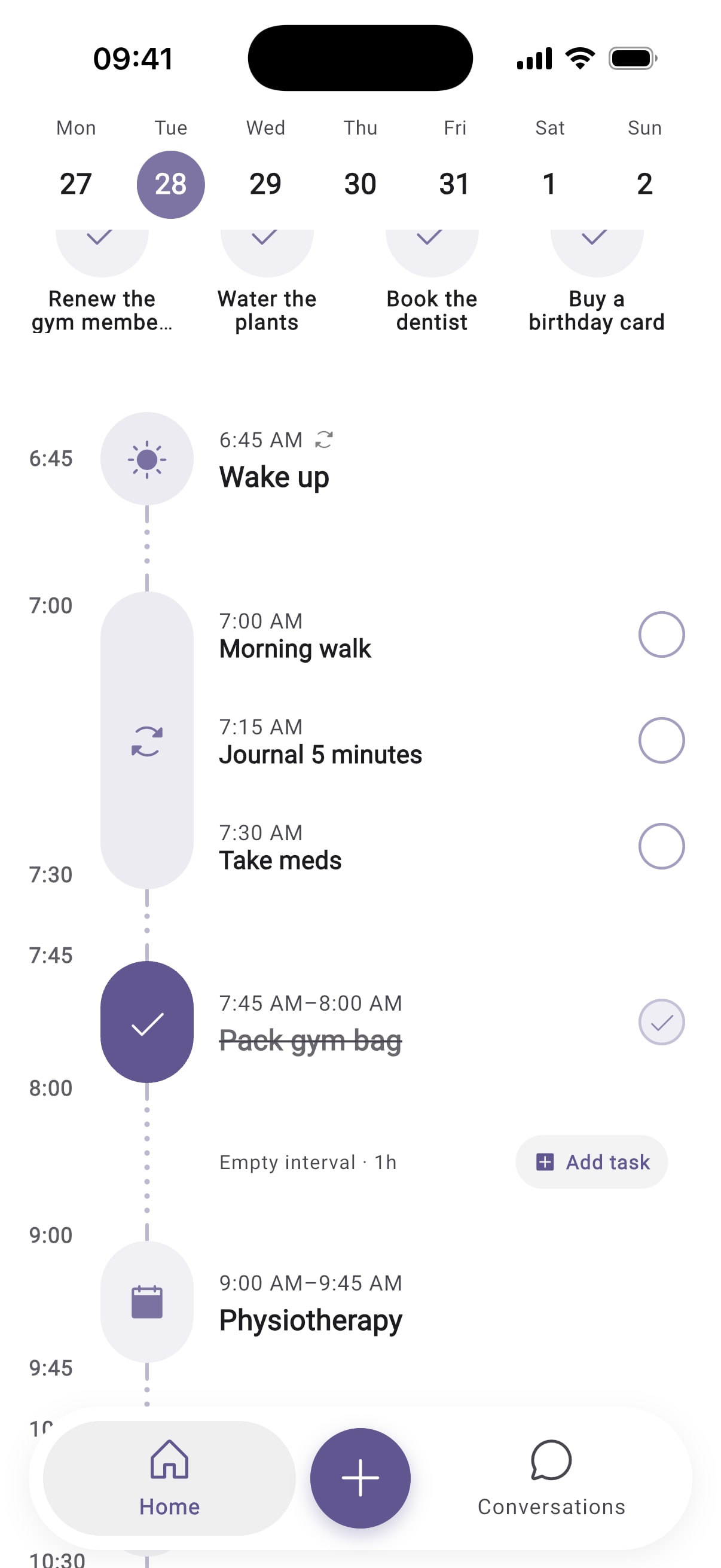
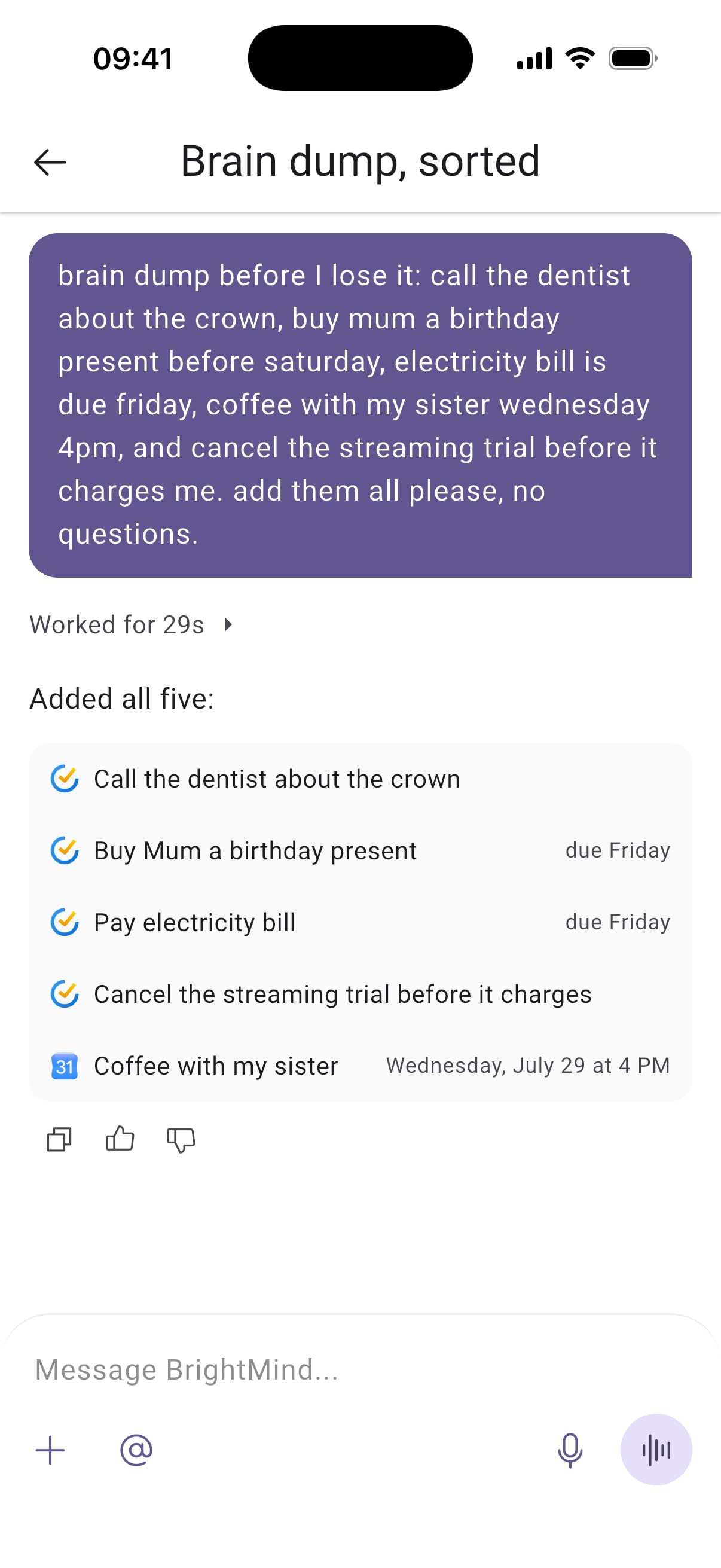
Every task lands in BrightMind, or where your tasks already live.

What early users are saying
Real feedback from people who've tried BrightMind
BrightMind completely eliminates the friction I've had with other systems. I'm a busy chef and expecting father, and I finally feel like I've gotten a grip on things.
I can't believe an app as good as this exists. [...] it really feels good to have help like that. I congratulate you on the app, it's great.
 Beta user from Reddit
I've used this for less than 10 minutes but I'm already loving it. I love that the voice does not sound like AI.
Beta user from RedditYour ADHD coach is great btw I am really enjoying it
Beta user from Redditlove it! Let's talk more. The simplicity is amazing. Breaking down the tasks, this is what is great. [...] and what's funny is I did schedule the appointment, but when I called, they weren't actually going to be open at the time. So this little tiny app just saved me with the whole entire hour of wasting my time.
Beta user from Reddithi Stan, I tried your Bright Mind app last night and today and I was impressed. [...] to think that you are only at the beginning of what it might become, it's really something.
Beta user from Redditjust tried out the app and it's pretty cool that it even creates smaller versions of the first steps when one doesn't want to move forward with the suggestion. I like it!
Beta user from RedditQuestions and answers
01Do I need Todoist or TickTick to start?
No. BrightMind has its own built-in tasks, and onboarding selects them by default. You can save and find tasks before you connect anything. If you already use Todoist, TickTick or Google Tasks, you can connect it in Settings > Integrations so new tasks go to your existing lists. Tasks and reminders Todoist TickTick Google Tasks
02What should I say in my first conversation?
Start with one thing on your mind, even if it feels messy. For example: "I need to clean my room, but I don't know where to start. Help me choose one small step." If a step feels useful, ask BrightMind to save it as a task. The getting started guide walks through a full first use. Getting started
03Can BrightMind contact me later?
Yes. Ask for an automation and BrightMind reaches out on its own at the time you set, as a message or a call, once or on repeat. A morning check-in and a Friday review of your week are common ones. Onboarding offers to set up a daily check-in, and you can skip it. Tasks with reminders can also send you a notification. Automations Scheduled calls Tasks and reminders
04Can I use BrightMind on a laptop or desktop computer?
Not yet. BrightMind is a mobile app for iPhone and Android, so it can't be used from a browser on a laptop or computer. A web version is on the roadmap. Get the app What's shipped recently
05What is included in Free and Plus?
Both plans include conversations, tasks, integrations, memory and voice calls, with a weekly allowance of messages and call time that refills every Monday in your time zone. Plus gives you bigger allowances, and a few features, like scheduled calls, can be part of Plus only. The offer in the app shows the current terms. Free vs Plus