TickTick for ADHD: A Setup Guide That Actually Holds Up
Stan · · 12 min read
TickTick for ADHD: set up smart lists, tags, filters and recurring tasks so the app helps you start. Free vs Premium, AI voice capture, constant reminders, and assistants that work with it.
TickTick works well for ADHD once you cut it down: live in the Today and Inbox lists, keep three or four context tags, automate routines with recurring tasks, and capture by voice. Its built-in Pomodoro timer, habit tracker and constant reminders help with focus and forgetting. What it can't do is make you start, which is where an assistant on top helps.
I came to TickTick the way a lot of people with ADHD do. I'd tried the minimalist apps that looked calm and did almost nothing, and the heavy project tools that needed a weekend of setup before they were useful. TickTick sat in the middle, and it had the one thing my brain kept reaching for in separate apps: a timer, a habit tracker, and a calendar living right next to the tasks.
Here's the honest version, though. Out of the box, TickTick is just another list that fills up faster than you empty it. The reason it works for an ADHD brain isn't the app. It's the setup. This guide is the setup I wish someone had handed me, plus a copyable template you can paste in and tweak.
I build an ADHD assistant with its own task list that also works on top of TickTick, so I have skin in this game. But everything below works whether or not you ever touch BrightMind.
Is TickTick good for ADHD?
TickTick fits ADHD brains because the support tools that usually live in three separate apps are built in. A Pomodoro timer, a habit tracker, and a calendar view all sit next to your tasks, so starting work doesn't mean app-hopping. ADHD experts recommend outsourcing memory to external tools, and TickTick bundles enough of them to be that system.
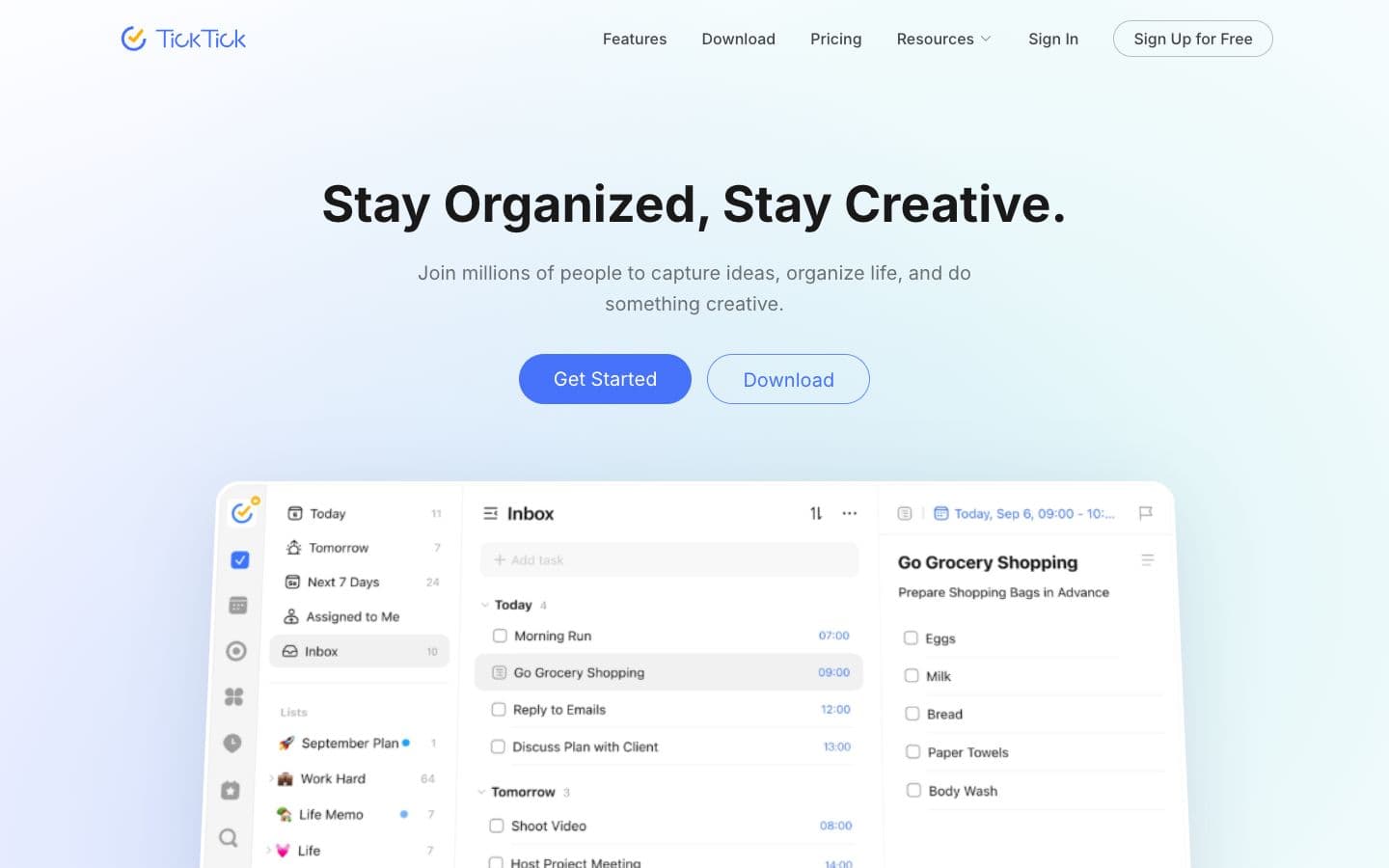 TickTick homepage: "Stay Organized, Stay Creative." above the app showing an Inbox with Today and Tomorrow tasks
The deeper reason is about how ADHD handles time and memory. People with ADHD tend to be "stuck in the present," as psychologist Ari Tuckman puts it in ADDitude, which makes future tasks feel unreal until they're suddenly overdue. The fix is to make time and tasks visible outside your head. TickTick's calendar view, recurring reminders, and smart lists do exactly that: they pull the invisible into something you can look at.
The built-in extras matter more than they sound. The Pomodoro timer means you can start a 25-minute block without leaving the task. If a timer alone won't get you moving, another person usually will, and we compared the best body doubling apps for ADHD for that. The habit tracker uses, in TickTick's words, "a rich habit library, flexible tracking options, and insightful statistics," so the boring streak of brushing your teeth or taking meds lives in the same place as your work. Fewer apps means fewer doorways where an ADHD brain wanders off.
None of this diagnoses anything. If task overwhelm and lost time are a constant pattern rather than a rough week, a quick free ADHD self-screener is a low-stakes way to decide whether to raise it with a clinician. A screener isn't a diagnosis, just a useful first data point.
How do you set up TickTick for ADHD? Start with smart lists
Start with smart lists, because they decide what you see when you open the app, and what you see is what you'll act on. TickTick ships several built-in smart lists, including Today, Tomorrow, Next 7 Days, Inbox, and Assigned to Me. For an ADHD brain, the move is to live almost entirely in Today and Inbox, and hide the rest.
The built-in smart lists, per TickTick's docs, filter tasks by their dates. Today shows tasks due today, Next 7 Days shows the week, and Inbox is "a temporary task transfer station where all tasks that cannot be sorted temporarily can be placed." That Inbox is the single most ADHD-friendly feature in the app. It's the bucket you throw things into when you can't decide where they go, which is most of the time.
The trap is the long view. A list of every task you've ever added is a guaranteed shame spiral and a guaranteed freeze. So configure your sidebar to default to Today. Open the app, see a short list of what's due, do one thing. The Next 7 Days view exists for a weekly glance, not for daily staring. Out of sight is, for once, exactly what you want.
How should you use tags, priorities and recurring tasks?
These three turn a flat list into something you can slice. Tags group tasks across lists by context, like errands or deep-work. Priority flags the one or two things that actually matter today. Recurring tasks handle the repeating stuff your brain refuses to remember, so meds, water, and the weekly review show up on their own without you tracking them.
Keep tags few and contextual, not clever. ADHD plus an elaborate tag taxonomy equals a new procrastination hobby. Three or four tags is plenty: maybe an energy level (low-energy, deep-work) and a context (errand, phone). When you're frozen, you can then pull up every five-minute low-energy task and pick from a short, doable list instead of the whole pile.
For recurring tasks, TickTick lets you "set flexible recurring rules (weekly, monthly, yearly, or custom)." Use this aggressively. Every routine you can automate is a routine your working memory no longer has to hold, and offloading memory to a reliable external system is, per ADHD coaches, the whole game. Set the weekly review to recur every Sunday. Set the meds reminder to recur daily. Let the app be the part of your brain that remembers.
On priority, resist flagging everything. If five tasks are urgent, none are. The point of priority for an ADHD brain is to answer one question on a frozen morning: when I can only do one thing, which one? Flag that, ignore the rest, and let Today carry the load.
How do you capture tasks fast in TickTick?
Quick add is where TickTick earns its place, because the gap between a thought and a saved task is where ADHD loses things. You tap the plus button, type the task, and TickTick's Smart Recognition reads the date and time from the sentence. Type "call dentist tomorrow at 2pm" and it sets the reminder for you.
This matters because friction is the enemy. The classic ADHD failure is "I'll save this for later," and then it's gone from your head forever. Smart Recognition shrinks the save to one sentence. As TickTick describes it, you "only need to add dates and time in the task content, and we will automatically set the reminder time for you." You can also turn the date recognition off per task if it grabs something it shouldn't.
When you're adding a task, the toolbar lets you set the date, priority, tag, and destination list before you save, so a captured thought lands fully formed. The habit worth building is brutal speed: capture first, organize never. Get it into the Inbox, move on, and sort during your weekly review if you sort at all. A task you saved sloppily beats a perfect one you never wrote down.
A copyable TickTick ADHD template
Here's a starting structure you can recreate in TickTick in about ten minutes. It uses a small set of lists, a handful of context tags, and two custom filter definitions described in plain terms, since TickTick's custom filters are built in its filter screen, not typed as a query string.
LISTS (keep it to a few; more lists = more places to lose things)
  📥 Inbox            → default capture bucket, sort later (built-in)
  🎯 Today's Focus    → the 1 to 3 things that actually matter today
  🔁 Routines         → recurring: meds, water, weekly review, laundry
  💼 Work
  🏠 Life / Errands

TAGS (context + energy, 3 to 5 max, resist building a taxonomy)
  #deep-work    → needs real focus, do when meds/energy are up
  #low-energy   → 5-minute, brain-off tasks for frozen days
  #phone        → calls and messages (batch these, they're the worst)
  #waiting      → blocked on someone else, check during review

PRIORITY (TickTick: High / Medium / Low / None)
  High = "if I do one thing today, it's this." Use it sparingly.

RECURRING TASKS (set these once, let the app remember)
  Take meds            → repeats daily
  Drink water          → repeats daily
  Weekly review        → repeats every Sunday
  Tidy desk            → repeats every weekday

CUSTOM FILTERS (build in Settings → Smart Lists → add Filter)
  Filter "Quick Wins"
    Normal filter: Tag is #low-energy, Priority is not High
    → your frozen-morning list: short, doable, no big scary tasks

  Filter "Today, for real"
    Advanced filter: Date is Today AND (Priority is High OR List is Today's Focus)
    → cuts the noise to what genuinely needs to happen today
TickTick supports two filter modes. Normal filtering works by "list name, tags, date, and other attributes," and Advanced filtering "allows for multi-statement queries using logical operators such as OR and AND, as well as filtering conditions like lists, dates, priorities, and tags." The Quick Wins filter is the one I'd build first. On a bad day, you open it and there's a short list of tiny, low-stakes tasks, which is far easier to start than the full backlog.
Is TickTick's free plan enough, or do you need Premium?
Most of an ADHD-friendly TickTick setup is free. Quick add, Smart Recognition, tags, recurring tasks, the built-in smart lists, the Pomodoro timer, and the habit tracker all work on the free tier. Premium mainly adds the calendar views, custom filters, more lists, and statistics. You can build a real system without paying first.
The wall, for ADHD brains, is usually custom filters and the calendar view, both Premium. The Quick Wins filter in the template above needs Premium, and the calendar view is genuinely useful if you think better in a week-at-a-glance layout. Those are real upgrades. Themes and statistics are nice-to-haves you can skip.
As of November 2026, TickTick's upgrade page lists Premium at US$49.99 a year, which works out to just over $4 a month. My honest advice: don't pay on day one. Run the free version for a couple of weeks, notice the exact moment you wish you had a custom filter or a calendar view, and let that real friction decide. Paying to fix a problem you've felt beats paying for features you imagine you'll use. If you're comparing free options more widely, TickTick is one of six apps in our roundup of free daily planner apps for ADHD.
Does TickTick have voice and AI capture?
Talking is faster than typing, and for an ADHD brain it skips the freeze of a blank field. On iOS you enable Siri under Settings, then Import and Integration, then Siri, and say "add buy eggs to TickTick." It also exposes iOS Shortcuts and a URL scheme for one-tap dictation into a list.
Inside the app, press and hold the plus button to add a task by voice. Turn on AI Mode there and TickTick's AI Voice Add pulls the title, date, time, list, tags and priority out of whatever you say, and splits a ramble with several items into separate tasks. That's close to a spoken brain dump. TickTick's AI features run on a monthly usage quota that resets each month.
Even without AI Mode, spoken capture leans on the same Smart Recognition that powers typed quick-add. Dictate "call dentist tomorrow at 2pm" and TickTick pulls the date and time straight out of the sentence, so the task lands scheduled instead of as a loose note you have to fix later. TickTick also has an in-app AI Assistant and its own MCP connection for outside AI tools, so an assistant can read and create your tasks.
One more feature worth switching on if you swipe reminders away: Constant Reminder. On the mobile app it keeps a task's reminder going until you act on it, either for every task (Settings, then Sounds & Notifications) or just for the tasks you pick in the task's reminder settings.
This is the layer I work on, so first person here. I built BrightMind because even fast capture assumes you already know what the task is, and ADHD freezing often happens earlier, when the thing in your head is still a knot you can't untangle. So in BrightMind you talk, it helps you break the overwhelm into one tiny next step, and then it drops the task into TickTick or Todoist for you, or into its own built-in task list if you don't use either. If you already live in TickTick, it's an assistant in front of your task list, not a replacement for it.
If TickTick's spoken capture covers your needs, that's a genuinely good free-or-cheap path and you may not need anything else. The two solve slightly different problems. One turns speech into tidy tasks. The other helps when you can't even name the task yet. And if TickTick's reminders keep getting swiped away, a reminder app that rings like an alarm fixes that side.
Is there an ADHD assistant that works with TickTick?
Yes. BrightMind is an AI assistant app for ADHD on iPhone and Android that connects to your TickTick account. You talk or type, it plans your day with you, files tasks into TickTick with the right list and date, and can call you at a time you pick to help you start. TickTick stays your list.
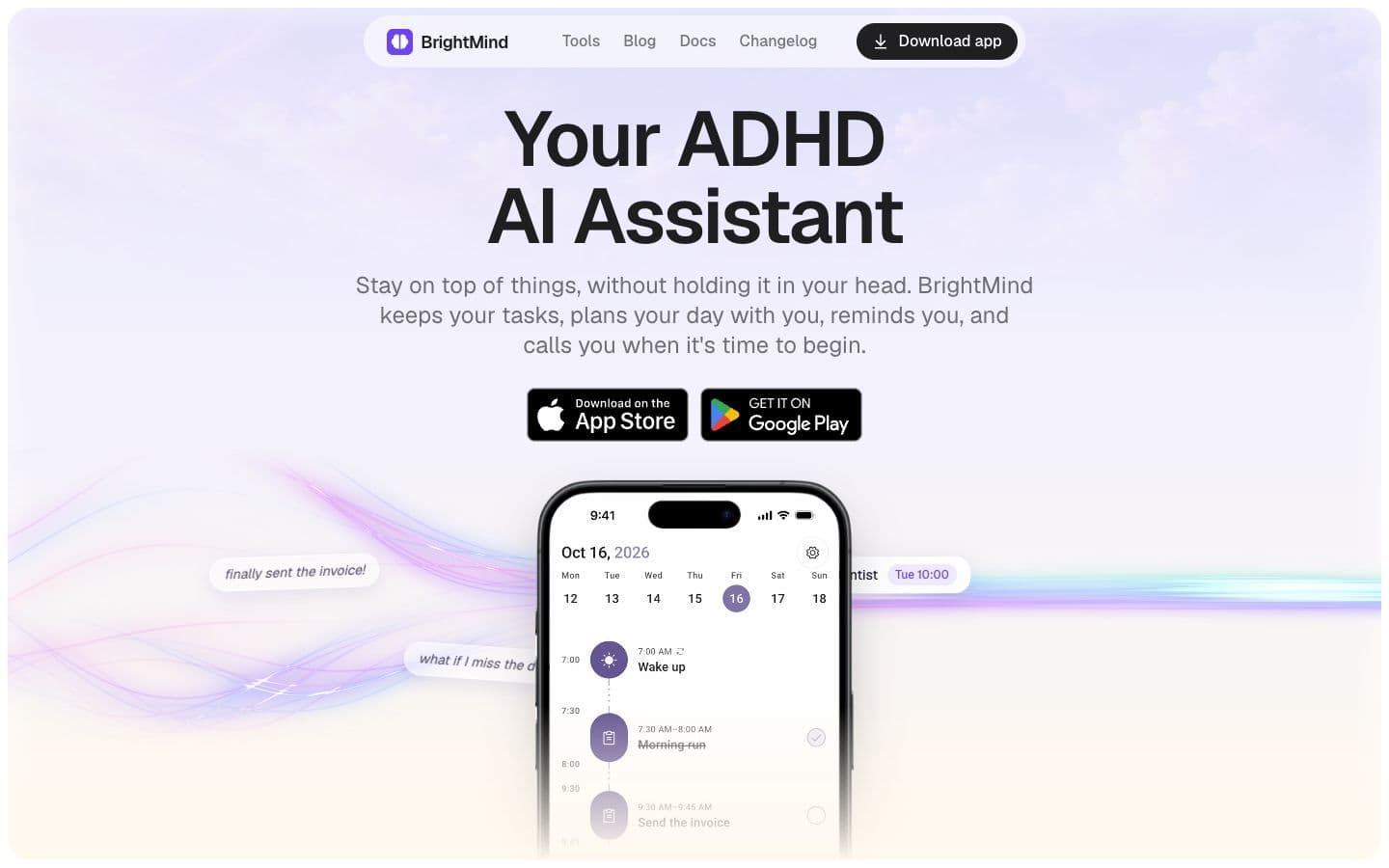 BrightMind homepage: "Your ADHD AI Assistant" with App Store and Google Play buttons above a phone showing a day timeline
Here's how the split looks in practice, by the ADHD problem you're trying to solve:
| ADHD problem | TickTick free | TickTick Premium ($49.99/yr) | BrightMind on top of TickTick |
|---|---|---|---|
| Capturing before you forget | Quick add, voice input, Smart Recognition | Same | Siri, Apple Watch or Android one-tap; rambles become sorted TickTick tasks |
| Seeing only today | Today and Inbox smart lists | Adds custom filters and calendar views | Plans today with you out loud, from your tasks and calendar |
| Routines you forget | Recurring tasks, habit tracker | Same | Suggests a repeat when you mention a chore |
| Reminders you swipe away | Notifications, Constant Reminder on mobile | Same | TickTick keeps sending your reminders; BrightMind's alarm-style reminders only cover its own built-in tasks |
| Starting the task | Pomodoro timer | Same | A check-in call at the time you chose, and one tiny first step |
| Cost | Free | US$49.99 a year | Free tier; Plus is $12.99/mo or $99.99/yr in the US |
You don't need all three columns. Plenty of people do fine on TickTick free with the template above. The right column matters if you capture well and still freeze. Setup takes a minute: connect TickTick in BrightMind's settings, as the TickTick integration docs show.
The template above is manual: you tag, route, and decide recurrence yourself. If you use BrightMind, you describe your system once and it handles all of that for you. There's a Personalization screen where you tell it how you work, your lists, your handful of tags, that you want one tiny first step on everything, that repeating chores should turn into recurring tasks. From then on, every task you hand it lands tagged, routed, and broken down the way you like, without you thinking about it. It's like having a personal assistant who already knows your setup.
The part I lean on hardest is capturing by voice. Say "Hey Siri, capture in BrightMind" and just ramble, hands-free from your iPhone, Apple Watch, AirPods, HomePod, CarPlay, or the Lock Screen, no app to open. It takes the whole messy brain dump and turns it into sorted tasks in TickTick with the right list, date, and priority. And because it already knows your routines, when you mention something like taking out the trash it asks whether you want that to repeat every Tuesday, instead of leaving it a one-off you re-add forever.
What are the common TickTick mistakes with ADHD?
The biggest pitfall is treating TickTick as a museum instead of a workshop. ADHD brains love the dopamine of setting up a pretty system, then never opening it again. The system that helps is the boring one you actually look at every morning, not the elaborate one you built in a burst of energy and abandoned by Thursday.
Watch for over-tagging, over-listing, and over-flagging. Every extra tag is a decision, and decisions are the exact thing ADHD taxes hardest. If choosing where a task goes takes longer than the task, your system is the new procrastination. When in doubt, dump it in the Inbox and move on. A messy Inbox you check beats a perfect taxonomy you avoid.
The other trap is the giant backlog. A list of two hundred old tasks isn't a to-do list, it's a guilt machine, and an ADHD brain freezes in front of it. Be ruthless. Delete tasks that no longer matter. Hide the all-tasks view. Live in Today. If a task has been sitting untouched for a month, it's telling you something, and the honest move is usually to let it go rather than carry the shame of it.
A short closing
If you're switching to TickTick to fix your focus, lower the stakes. The app won't fix ADHD, and no setup will. What a good setup does is remove enough friction that starting becomes possible: capture in one sentence, see only what's due today, and let recurring tasks carry what you'd otherwise forget. Build the small version first.
If the part that keeps stopping you is the moment before the task exists, when it's still a blur you can't name, that's the gap BrightMind was built for. You talk, it shrinks the overwhelm to one tiny step, and it files the task into TickTick so it doesn't vanish. Take a look, or just build the template above and start there. For more on the freeze itself, ADHD paralysis and the brain dump method go deeper, and if you're weighing apps, the Todoist for ADHD guide is the twin of this one, with a head-to-head in Todoist vs TickTick. For the setups real TickTick users stick with, see the TickTick setup guide built from 42 Reddit threads.
References
- TickTick. Features. ticktick.com
- TickTick. Manage Tasks with Lists (smart lists: Today, Tomorrow, Next 7 Days, Inbox, Assigned to Me). help.ticktick.com
- TickTick. Filter tasks with Filters (Normal and Advanced filtering). help.ticktick.com
- TickTick. Smart Recognition (natural language date parsing). help.ticktick.com
- TickTick. Use Siri and URL Scheme with TickTick. help.ticktick.com
- Tuckman, A. (2026). You Can't Train Away ADHD Executive Dysfunction. ADDitude. additudemag.com
- Tuckman, A. ADHD Minds Are Trapped in Now (and Other Time Management Truths). ADDitude. additudemag.com
- Sophos, S. (2024). Harnessing Artificial Intelligence to Live Better with ADHD. Attention (CHADD). chadd.org
- TickTick. AI Voice Add. help.ticktick.com
- TickTick. Help Center: Constant Reminder. help.ticktick.com
- TickTick. Upgrade to Premium. ticktick.com
- BrightMind Docs. TickTick integration. brightmind.club
Frequently asked questions
- Is TickTick good for ADHD?
- It can be, because the extras solve ADHD problems other apps ignore. A built-in Pomodoro timer, habit tracker, and calendar view live next to your tasks, so you don't have to glue five apps together. The catch is setup. A default TickTick is a list that piles up. A tuned one is a system that surfaces the next thing.
- Does TickTick have AI features?
- Yes. AI Voice Add turns a spoken ramble into separate tasks with dates, lists, tags and priority, and an in-app AI Assistant manages tasks in plain language, both on a monthly quota. Smart Recognition pulls dates out of any quick-add, and TickTick offers an official MCP connection so outside AI tools can read and create your tasks.
- Does TickTick work with Siri?
- Yes, on iOS. You enable it under Settings, then Import and Integration, then Siri, and you can say something like add buy eggs to TickTick. TickTick also exposes a URL scheme and iOS Shortcuts, so you can build one-tap voice capture that drops a dictated task straight into a chosen list without opening the app first.
- Is there an ADHD app that works with TickTick?
- Yes. BrightMind, an AI assistant app for ADHD on iPhone and Android, connects to TickTick and files the tasks you speak or type into it, with list, date and priority. It also plans your day with you and can call you at a time you choose to help you start. Your tasks stay in TickTick.
- Is the free version of TickTick enough for ADHD?
- For many people, yes. The free tier covers quick add, smart date recognition, tags, recurring tasks, the Pomodoro timer, and habit tracking, which is most of an ADHD-friendly setup. Premium mainly adds calendar views, custom filters, more lists, and statistics. Start free, and upgrade only when a wall you actually hit makes the case.