ADHD Brain Dump: Free Printable Template (PDF + Method)
Stan · · 12 min read
Free ADHD brain dump template (printable PDF and copy-paste), a 15-minute method, and the apps that turn a brain dump into a daily plan, compared with real prices.
An ADHD brain dump is a short, timed session where you write or say every task, worry and stray thought in your head, with no sorting, so your working memory can stop juggling them. Use the free template below for fifteen minutes, then keep only the few items that need action and move them into your task app.
You have forty-seven tabs open. Not in your browser. In your head. The thing you owe your sister a reply on, the form that's been due, the half-idea you got in the shower, the dentist, the dentist, the dentist. None of it is written down anywhere, so your brain keeps cycling through the whole list to make sure it doesn't lose any of it.
That's the loop a brain dump breaks. You take everything your head is holding and dump it onto one page, fast and messy, until your skull is quieter. Below is a free template you can copy, a short method to use it, and the honest part nobody mentions: most of what you dump should die on the page, not turn into a task. Further down there's a comparison of the apps that turn a brain dump into a plan, if paper isn't enough.
Want it now? Grab the printable below, or jump to the copy-paste version for your notes app.
I build an app for exactly this kind of mental clutter, so I'll be upfront about where it fits. But the template and the method work with a phone notes app and zero dollars, so let's start there.
What is an ADHD brain dump?
An ADHD brain dump is the act of writing down every task, worry, and loose thought in your head all at once, with no order and no editing. The goal isn't a tidy to-do list. It's emptying your working memory onto a page so your brain can stop holding everything at once.
The mechanism is simple and it's the whole point. Adults with ADHD show measurable working-memory differences, and they hold up across studies. A meta-analysis by Alderson and colleagues (2013) pooled 38 studies and found moderate-magnitude working-memory deficits in adults with ADHD compared with controls, persisting well into adulthood. Translation: your brain has less RAM for juggling open items, so the juggling itself is exhausting.
A brain dump offloads that job. CHADD, the main national ADHD nonprofit, frames the same move plainly: keep a bigger list where you write down every task or project the moment it pops up, so you don't have to worry about remembering it. The page is the storage. Your head is freed up to do one thing at a time.
Why do ADHD brains loop?
ADHD brains loop because working memory is the weak link and the brain knows it. When you can't trust yourself to remember an open item, your mind compensates by replaying it, over and over, so it doesn't fall through the cracks. That replay is the loop. It's not you being dramatic. It's an overloaded system guarding its own unreliable memory.
Think about what working memory actually does. It holds the things you're mid-thought on, sequences the steps of a task, and keeps the "still need to do this" items live in the background. When that system runs short, as it does in ADHD, two things happen. You drop items you meant to keep, and you over-guard the ones you're scared to drop. Both feel awful.
ADHD looping is the second one in action. A single unfinished task, a text you didn't answer, a worry with no resolution, gets stuck on a track that won't clear, because clearing it would mean trusting your memory to bring it back later. So the brain keeps it on screen. A brain dump gives that thought somewhere safe to land, which is the only thing that reliably lets the loop stop.
How do you do a brain dump?
How to brain dump comes down to one simple method, and the simplicity is load-bearing. Set a timer, write down everything in your head as fast as it comes, and do not edit, sort, or judge a single line while the timer runs. Capture and sort are different jobs, and doing both at once makes people freeze.
Three rules keep it working:
- Set a timer. Ten to fifteen minutes is plenty. A fence around the effort makes an open-ended task feel finite, which is the difference between starting and not. If you can't make yourself sit down for it, do it on a call with a friend or in a body doubling app.
- No editing. Spelling, order, whether it's a "real" task, none of it matters yet. The second you start tidying, you've switched back into the overthinking mode you're trying to escape.
- Use prompts when you stall. A blank page is intimidating and your memory won't surrender everything on demand. Trigger categories pull items out that you'd otherwise forget you were carrying. That's what the template below is for.
If a thought feels too big to write in one line, that's fine. Write the messy version: "the whole tax thing." You're not solving it now. You're just getting it out of the part of your brain that's been quietly screaming about it.
The ADHD brain dump template
The template is a set of trigger categories you read down to shake loose what your memory is hiding. You don't have to fill every section. Copy it into any notes app, set a timer for fifteen minutes, and write whatever each heading pulls up. Most people forget half their open loops until a prompt names the bucket.
ADHD BRAIN DUMP: [today's date]
Timer: 15 minutes. No editing. No sorting. Just get it out.
OPEN LOOPSstarted but not finished
WAITING ONstuck until someone else moves
WORRIESno clear action, but it's taking up space
SOMEDAY / MAYBEideas, not commitments
ADMIN & ERRANDSforms, calls, appointments, returns
PEOPLE I OWE A REPLYtexts, emails, DMs
ANYTHING ELSEwhatever's left, dump it here
Prefer paper? Print the same trigger categories with writable lines and keep a copy on your desk or nightstand.
Want it on your phone instead? Paste the text version above into any notes app. Either format works; pick whichever one you'll actually reach for when your head is full.
The PDF doubles as a brain dump worksheet or printable sheet, and the text version works as a running brain dump journal: keep one note open, add a dated block each time your head fills up, and never delete the old ones. Same categories, three formats.
Here's the brain dump method to run around it, fifteen minutes start to finish. Spend the first ten minutes free-dumping under whatever heading the thought belongs to, jumping around as much as you want. When you stall, read the next category heading out loud and let it pull. For the last five minutes, slow-scan each section once and add the stragglers that surfaced while you wrote. Then stop. You're done. The page is full and your head is lighter, and that's the entire win for now.
Notice there's no priority column, no due dates, no color coding. That's deliberate. The moment you add structure, you've left the brain dump and started planning, and planning while your head is still full is how people end up staring at a half-organized list feeling worse than when they began.
What do you do after a brain dump?
The honest answer is that most of what you dumped should die on the page. Treat your brain dump list as a raw export, not a to-do list, where the value is the relief of seeing it rather than acting on it. Your next job is triage: keep the few things that need action, let the rest go.
Inflow, an ADHD-focused company, calls part of this a "to-don't list": the distractions and impulses you write down specifically so you can say "no, brain, not now" and move on. A lot of what surfaces in a dump is exactly that. The shower idea, the someday project, the worry with no action attached. Acknowledging it on paper is often all it needed. Cross it off, not because you did it, but because you decided not to.
For the items that survive, move them into your real task system instead of leaving them in the dump. ADDitude's guidance from organizing coach Leslie Josel is the cleanest version of this: make each kept item actionable with a verb ("book dentist," not "dentist"), break the big ones into a first step, and group similar items so you can batch them. Then it leaves the dump and lives where you'll actually see it again.
Here's what that looks like on a single line. Say your dump has "the whole tax thing" sitting under Worries, vague and heavy, the kind of entry that's been quietly draining you for weeks. It doesn't move as written, because "the whole tax thing" isn't a task, it's a cloud. So you graduate it: name the very next physical action ("find last year's return in the email folder"), give it a home in your task app, and leave the rest of the cloud on the page where it can't follow you around. The worry was one item on a brain dump list. The task is one click. Everything else about taxes goes back in the fog until that first step is done, and that's correct, because you can only do the next thing anyway. One worry in, one tiny task out. The other twenty lines you dumped don't all need that treatment, and most won't get it. They were never tasks. They were just noise you needed to set down.
If your system is Todoist, our Todoist for ADHD setup guide walks through capturing these survivors without over-engineering it. If you're on TickTick, the TickTick for ADHD guide does the same. The principle is identical either way: the dump clears your head, and only the action items graduate into the system you trust. If a graduated task still sits there untouched, a reminder that rings like an alarm is harder to ignore than a notification.
Does a bedtime brain dump help you sleep?
A bedtime brain dump targets the worst version of looping, the kind that hits the second your head touches the pillow. Lying in the dark with nothing to distract you, your brain finally has room to replay every open item at full volume. Writing them down first gives those thoughts somewhere to live overnight.
This isn't just a vibe. Martz and colleagues (2021) studied racing thoughts in adults with ADHD and found they increased in the evening and at bedtime, and tracked with insomnia severity. The racing isn't random. It peaks exactly when there's nothing left to occupy your attention, which is precisely when you're trying to fall asleep.
Keep the bedtime version short and analog. A notebook on the nightstand beats your phone, because the phone hands you a hundred new loops the moment you unlock it. Dump the loud ones ("I have to remember to email them back," "did I lock the door," "the thing on Thursday"), close the notebook, and tell yourself the literal truth: it's written down, so it'll still be there in the morning and you don't have to hold it now. The point is permission to stop guarding, not a perfect list.
What if a brain dump doesn't work?
A brain dump assumes you have enough capacity to pick up a pen and let your thoughts flow. Sometimes you don't. In a deep ADHD shutdown, where overwhelm has tipped into a near-total stall, even a blank page can feel like one demand too many. If writing anything feels impossible, that's a signal to lower the input, not push harder.
The brain dump is a tool for a head that's too full, not a head that's gone quiet and heavy. Those are different states with opposite fixes. A full head needs emptying. A shut-down system needs rest, less stimulation, and recovery before any productivity move makes sense. If that's where you are, the ADHD paralysis guide covers shutdown specifically and what actually helps.
And if you're not sure whether this scattered, looping, can't-hold-anything pattern is just a busy season or something more, a free screener is a low-stakes way to get a first data point. The ASRS-5 ADHD self-screener takes a couple of minutes. It isn't a diagnosis, but it can help you decide whether to raise it with a clinician.
Can you brain dump out loud?
If writing the dump is the part that stops you, talking it out is the alternative. Saying everything in your head out loud does the same offloading job as writing, and for a lot of ADHD brains it's lower-friction, because speech keeps moving even when a blank page makes you freeze. You capture with your mouth instead of your hand.
This is the part I'm closest to, because it's the core of what we built. In BrightMind, the Organize flow is a spoken brain dump that doesn't leave you with a wall of text to sort. You ramble out everything that's on your mind, and it turns the mess into a realistic plan, then drops the actual tasks into BrightMind's own task list, or into Todoist or TickTick if you use them. The dump, the triage, and the hand-off into your system happen in one conversation, while your head empties.
You don't need an app to brain dump. The template above and a fifteen-minute timer are enough, and that's genuinely the point of this whole post. But if the blank page is where you keep getting stuck, talking might be what finally moves you. If you're on an iPhone or Apple Watch, the guide to adding tasks by voice shows how to dump straight into your task list without opening anything.
What are the best apps for turning a brain dump into a plan?
The best app depends on which half you need help with. Goblin Tools, Todoist Ramble and TickTick's AI Voice Add turn a messy dump into clean tasks. Tiimo, Motion, Sunsama and Akiflow put tasks onto a day. BrightMind does both in one conversation and then checks in with you. Paper is still free.
Prices below come from each vendor's own pages, checked on November 10, 2026, in US dollars. They change, so confirm before you pay.
| App | What it does with your dump | Plans your day? | Free tier | Paid |
|---|---|---|---|---|
| Goblin Tools | Compiler pulls action items out of pasted text; Magic ToDo breaks each into steps | No | Whole website free | Low-priced mobile apps, optional Pro |
| Todoist (Ramble) | You talk, it files tasks with dates, projects and labels, in 40 languages | No, you schedule | Limited Ramble sessions | Pro $5/mo yearly, $7 monthly |
| TickTick (AI Voice Add) | Splits one spoken ramble into separate tasks with dates, lists and tags | No, you schedule | Yes, with a monthly AI quota | Premium $49.99/yr |
| Tiimo | "Plan with AI" turns your thoughts into steps with time estimates on a visual timeline | Yes, visually | Some tools on iOS and Android | Pro, priced by location |
| Motion | Auto-schedules your tasks into your calendar and reshuffles them | Yes, for you | Trial only | Pro AI from $19/seat/mo |
| Sunsama | A guided daily ritual where you pick a realistic day from your tasks | Yes, with you | 14-day trial | $17/mo yearly, $22 monthly |
| Akiflow | Pulls tasks from your other apps into one place to plan on your calendar, with an AI assistant, Aki | Yes, with you | 7-day trial, card needed | $19/mo yearly, $34 monthly |
| BrightMind | You talk or type the dump, it builds today's plan, files tasks, and can call you later | Yes, out loud with you | 100 messages and 30 min of calls a week | Plus $12.99/mo or $99.99/yr (US) |
If you just need the mess turned into tasks. Goblin Tools is the free, no-account option: paste your dump into the Compiler and it "tries to distill a list of actionable items from it," which you can then send to Magic ToDo to break down further. Todoist's Ramble and TickTick's AI Voice Add do the same thing by voice, straight into the list you already use. All three stop at the list. Deciding what happens today is still on you.
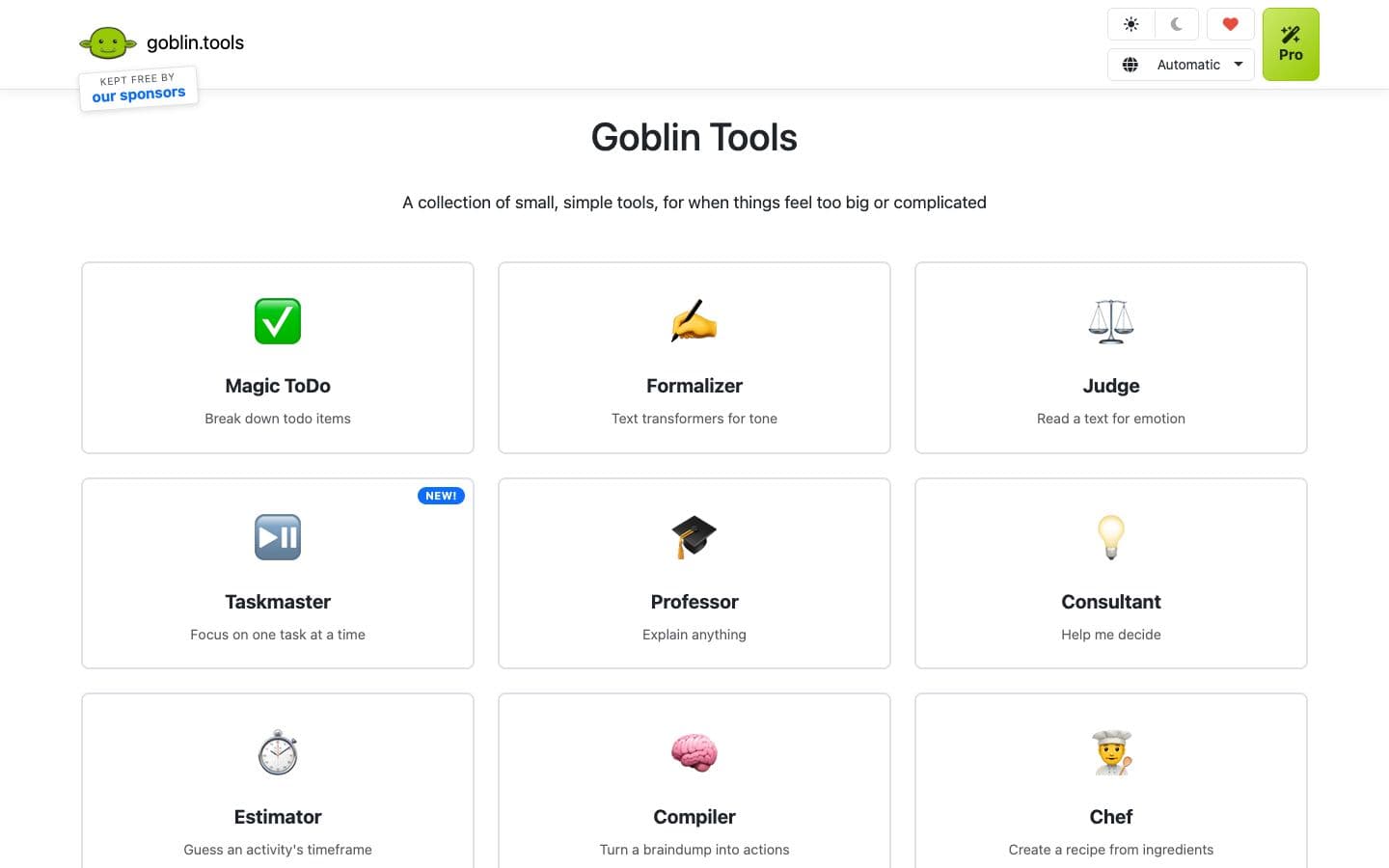 Goblin Tools homepage: "A collection of small, simple tools" with tiles for Magic ToDo, Formalizer, Judge, Taskmaster, Professor and Consultant
If you need the tasks put onto a day. Motion takes the decision away by scheduling tasks into your calendar for you, which helps if you make long lists but never decide when. Sunsama and Akiflow keep you in the loop with a planning ritual, and Tiimo makes the day visible as a timeline, which suits time blindness. The shared catch is that each one works best on the mornings you open it and plan, and with ADHD those aren't always the mornings that need it most. If you'd rather not pay at all, the roundup of free daily planner apps for ADHD compares six that plan your day on a free plan.
 Motion homepage: "Get an unfair advantage by using AI to double productivity" with a Try Motion for free button
If you want both, out loud. That's the gap I built BrightMind for, so weigh my view accordingly. You talk through the dump, it asks a couple of questions, proposes a realistic plan for today, and files the survivors into its own task list or into Todoist or TickTick, with timed things going to Google Calendar. Then it can ring you at a time you pick to check how the first task is going. It runs on iPhone and Android. If you'd rather a calendar that schedules itself without any conversation, Motion fits better. If you just want one dump turned into steps for free, Goblin Tools is hard to beat.
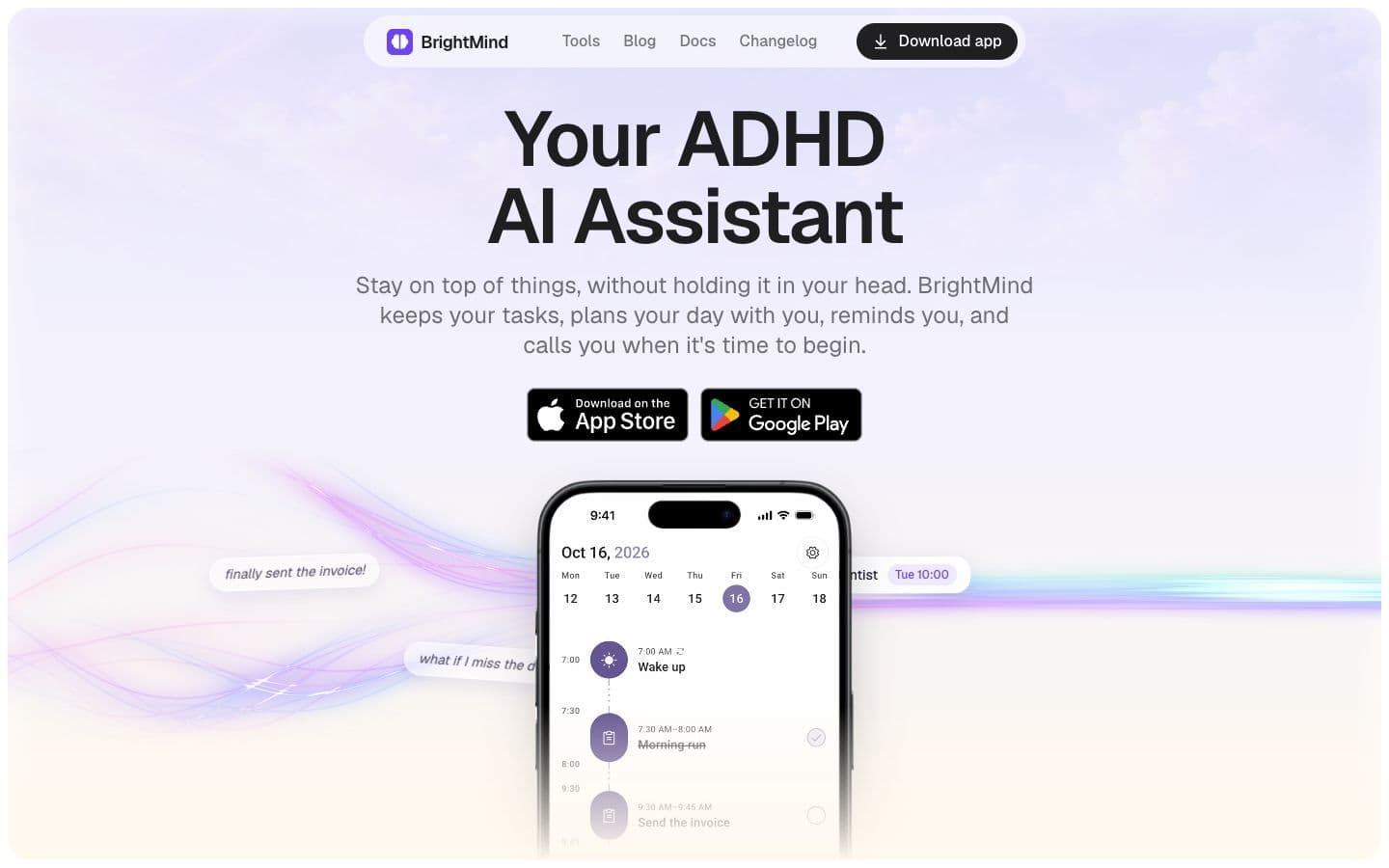 BrightMind homepage: "Your ADHD AI Assistant" with App Store and Google Play buttons above a phone showing a day timeline
None of these replaces the dump itself. Run the fifteen minutes first, on paper or out loud, then let a tool do the sorting. Take a look at BrightMind, or just copy the template and start. Either way, get it out of your head. Your working memory was never meant to be your filing system.
References
- Alderson, R. M., Kasper, L. J., Hudec, K. L., & Patros, C. H. G. (2013). Attention-deficit/hyperactivity disorder (ADHD) and working memory in adults: A meta-analytic review. Neuropsychology, 27(3), 287-302. PubMed
- Martz, E., Bertschy, G., Kraemer, C., Weibel, S., & Weiner, L. (2021). Beyond motor hyperactivity: Racing thoughts are an integral symptom of adult attention deficit hyperactivity disorder. Psychiatry Research, 301, 113988. PubMed
- Song, P., Zha, M., Yang, Q., Zhang, Y., Li, X., & Rudan, I. (2021). The prevalence of adult attention-deficit hyperactivity disorder: A global systematic review and meta-analysis. Journal of Global Health, 11, 04009. Journal of Global Health
- CHADD (Children and Adults with Attention-Deficit/Hyperactivity Disorder). Time Management and ADHD: To-Do Lists. chadd.org
- Josel, L. How Can I Prioritize My Brain Dumps Into To-Do Lists? ADDitude. additudemag.com
- Inflow. ADHD brain dump: make a to-don't list to control impulses. getinflow.io
- Goblin Tools. Compiler. goblin.tools
- Todoist. Meet Ramble, and Pricing. todoist.com/ramble, todoist.com/pricing
- TickTick. AI Voice Add. help.ticktick.com, and Premium. ticktick.com
- Tiimo. Pricing. tiimoapp.com
- Motion. Pricing. usemotion.com
- Sunsama. Pricing. sunsama.com
- Akiflow. Pricing. akiflow.com
Frequently asked questions
- What is ADHD brain dump?
- An ADHD brain dump is when you write down every task, worry, and stray thought currently rattling around your head, all at once, in no order, without editing. The point is to move the load off your working memory and onto a page so you can finally see it instead of juggling it. It's a reset, not a to-do list.
- What is the 10 3 rule for ADHD?
- The 10-3 rule is an informal focus heuristic people share online, not a clinical guideline. It means working in 10-minute bursts followed by a 3-minute break, then repeating. The short blocks lower the barrier to starting and the frequent pauses give the ADHD brain regular resets. Usage varies, so treat the exact numbers as flexible.
- How to stop ADHD looping?
- Get the looping thought out of your head and onto something external. Write it down, say it out loud, or record a voice note. ADHD looping is often your working memory replaying an unfinished item it's scared to drop. Once it's captured somewhere you trust, the brain can stop guarding it. A bedtime brain dump works especially well.
- What is the 5 3 1 rule for ADHD?
- The 5-3-1 rule, more commonly written as the 1-3-5 rule, is an informal daily-planning heuristic, not a clinical method. It caps your list at one big task, three medium ones, and five small ones. The point is to fight overwhelm by limiting choices. People use the numbers loosely, so adjust them to your day.
- What is the best app for an ADHD brain dump?
- For turning a dump into tasks, Goblin Tools is free and needs no account, and Todoist's Ramble or TickTick's AI Voice Add do it by voice inside your task list. For turning it into a plan for today, Motion, Sunsama, Tiimo and Akiflow help, and BrightMind talks it through with you, files the tasks, and can call you later.
- Can AI turn a brain dump into a daily schedule?
- Yes. Motion auto-schedules tasks into your calendar, Tiimo turns thoughts into timed steps, and BrightMind builds a plan for today from a spoken or typed dump and files the tasks into its own list, Todoist, TickTick or Google Calendar. Treat the result as a draft: you still pick what actually fits today.